Skip to content

The job file for solar and battery installers.

Check every job is fully documented before you hand over.

  1. SurveyPhotos and a sketch on site
  2. QuoteProposal page and PDF
  3. DesignYour roof layout and parts list, in one place
  4. CommissioningSwitch-on readings and photos
  5. Compliance fileBuilding regulations notification, England and Wales
  6. HandoverHandover pack ready

Your Technical Supervisor (the qualified person named with your scheme) still declares compliance; Voltfile shows how complete the evidence is.

CW-2026-1048 High Road household

Evidence completeness: 47 of 47 required items

Every item needed on the day is in

Building regs notification goes in after the job

Ready for technical handover

Built by installers, made for installers. Monthly or yearly plans · Every job exports as a zip on any plan.

  • See what is still missingThe job lists every required item that is not on the file yet.
  • Nothing goes out earlyYou hand over when the file is complete, not while something required is still open.
  • The customer pack is readyOnce the file is complete, the customer’s pack is one click.

The problem

The install is the easy part. Proving it is not.

Most installers keep the right evidence. The trouble is finding it, and knowing it is all there before the customer gets their pack.

Without a job file

  • Evidence is everywhereRoof photos in WhatsApp, test results on paper, the DNO (distribution network operator) reference in someone’s inbox. Pulling a job file together for an audit takes hours.
  • Handovers go out incompleteA pack sent before the building regulations notification or certificate reference is in means another visit, another email, and a customer who has lost confidence.
  • Nobody knows what is missingThe office cannot see what the engineer captured until they are back at the yard, and the deadline for the network operator is easy to miss.

With Voltfile

  • One file per installSurvey to aftercare in eleven stages, with every item filed where an assessor expects to find it.
  • A gate, not a reminderThe job simply cannot be handed over while a required item is open, and the gate lists what is left.
  • Live from the roofEngineers capture on their phone, even with no signal. The office sees progress the moment it syncs.

Why Voltfile

The layer between the roof and the handover

Survey, design, quote and book jobs in Voltfile, or keep the tools you already use. Either way, its main job is making sure the evidence is in, checked and packed before anything goes to the customer or the assessor.

  • A gate, not a reminder

    Technical handover and the final pack each stay locked until the evidence is in. Nothing relies on someone remembering to check.

  • AI checks are included

    On Pro and Scale. A person on your team accepts every result before it is filed.

  • Construction phase plans on every job

    A proportionate plan per job, signed on site from a phone, with daily checks and toolbox talks kept on the job file.

  • Prices on the page

    Every plan price is on the pricing page. Change plan or cancel from the billing page, and keep read access to every job file.

  • You own your data

    Every job exports as a zip on any plan, with the evidence, certificates and packs on the job file.

  • Your name on it

    Your logo on packs and the portal on every plan, your colours and subdomain on Pro, and your own domain on Scale.

“I built this because our own job files were scattered across WhatsApp, paper and inboxes. It is the evidence and handover layer I wanted on every install, priced so a small installer can pay month to month.”
Steve Chesman, founder of Voltfile and a working MCS solar PV and battery installer

Features

Everything the job file needs, nothing it does not

Screens from the product, with the demo company’s data.

Job checklist

Every job follows the same checklist, in your wording

Each new job gets your editable solar and battery checklist, with items that do not apply already set aside. Clause labels, including MIS 3002 (the MCS installation standard for solar PV), are data you can update when the standards change.
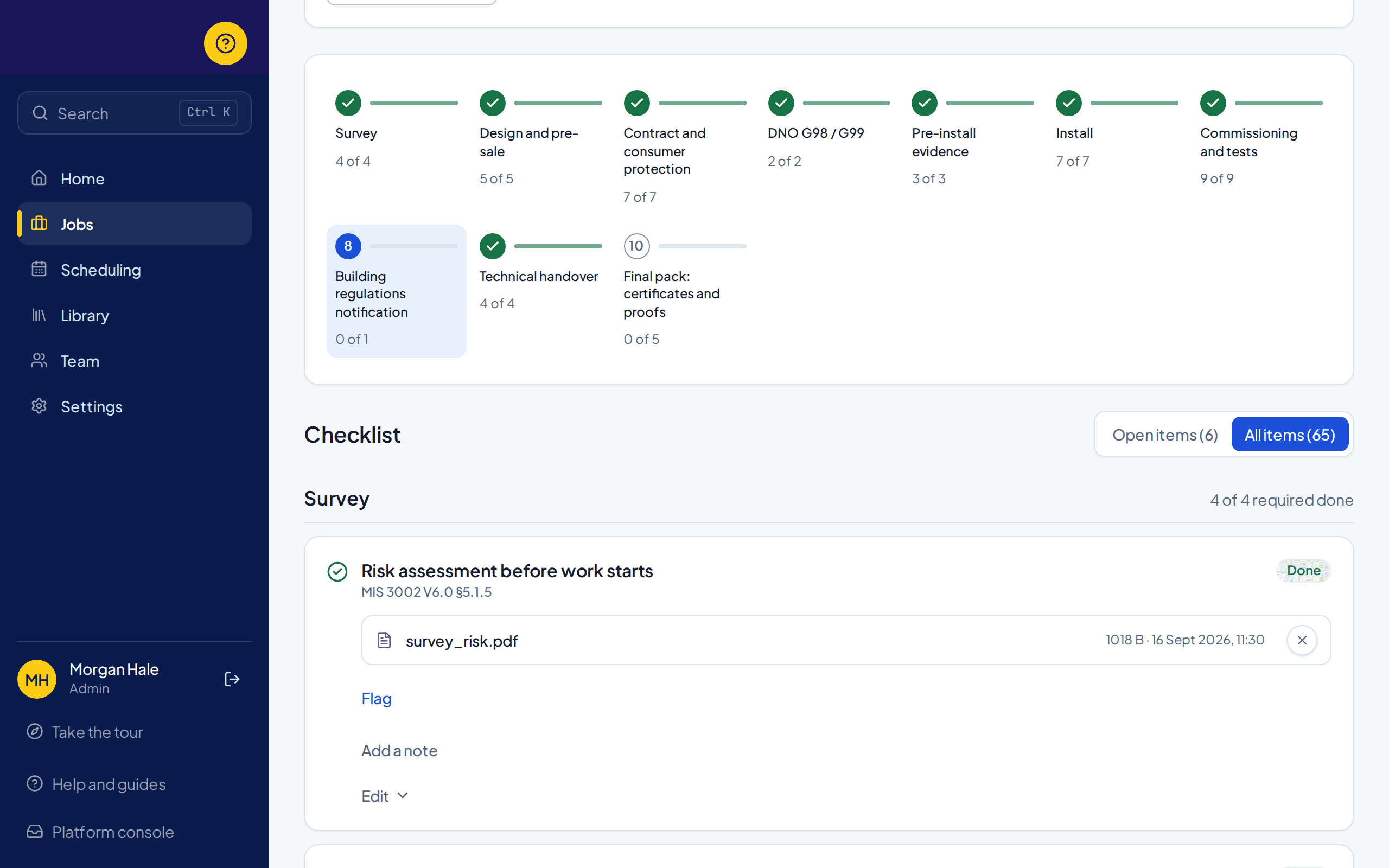
A job checklist showing stages, completed items with evidence and the next items still needed.

Handover gate

Handover stays locked until the evidence is in

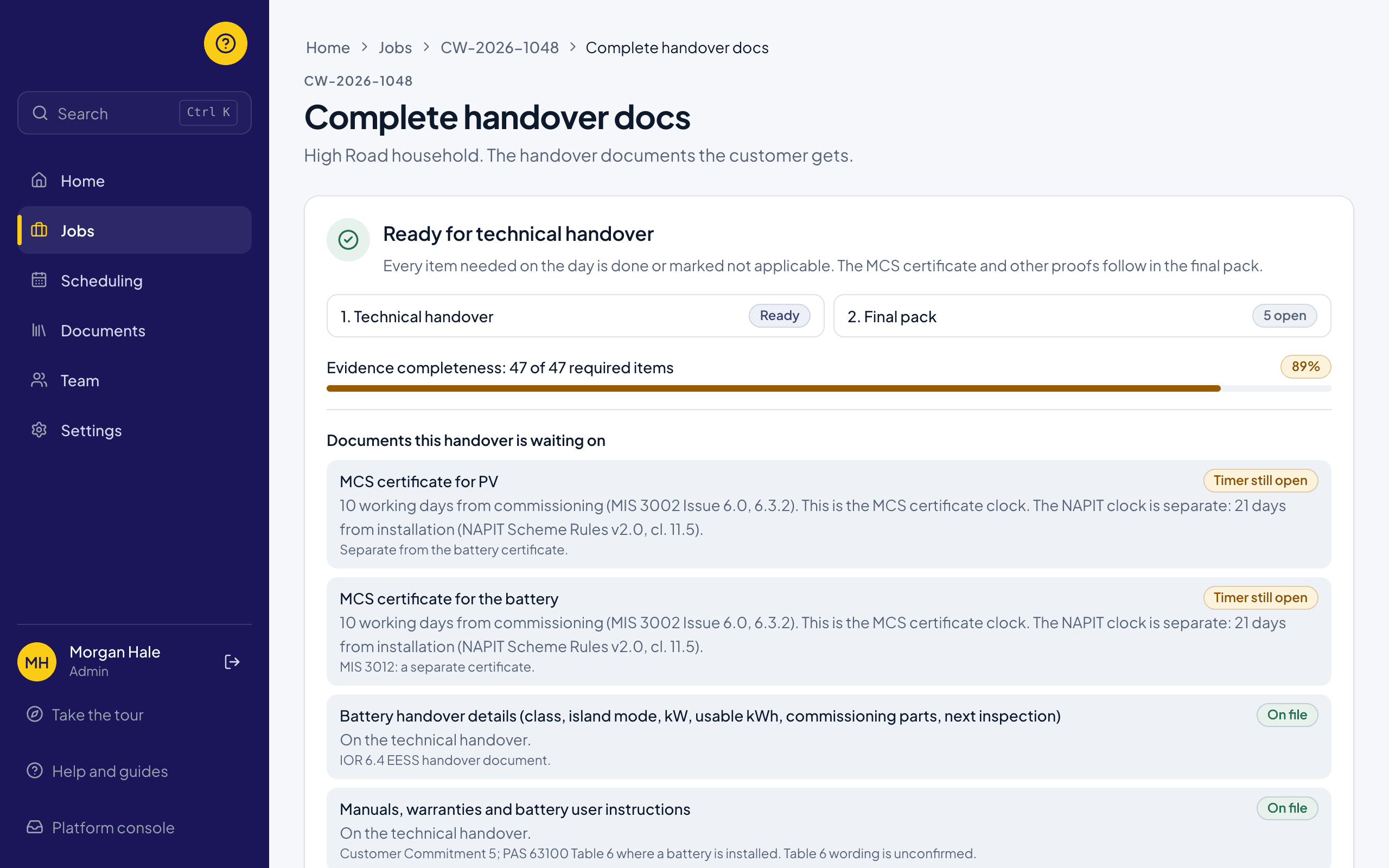
Technical handover unlocks when every required item is done or marked not applicable with a reason, including the building regulations notification. The final pack stays locked until the MCS (Microgeneration Certification Scheme) certificates, the building regulations certificate and the network operator proof are filed.

  • Lists the items still open and why
  • Certificate, G98 and G99 (the network operator forms for a small system, or a larger one you send before you connect), building regulations and handover document deadlines by scheme track
  • At least six years’ retention, extendable per job
A job in the app ready for technical handover, with every required item in.

On-site capture

Built for engineers on a roof, not at a desk

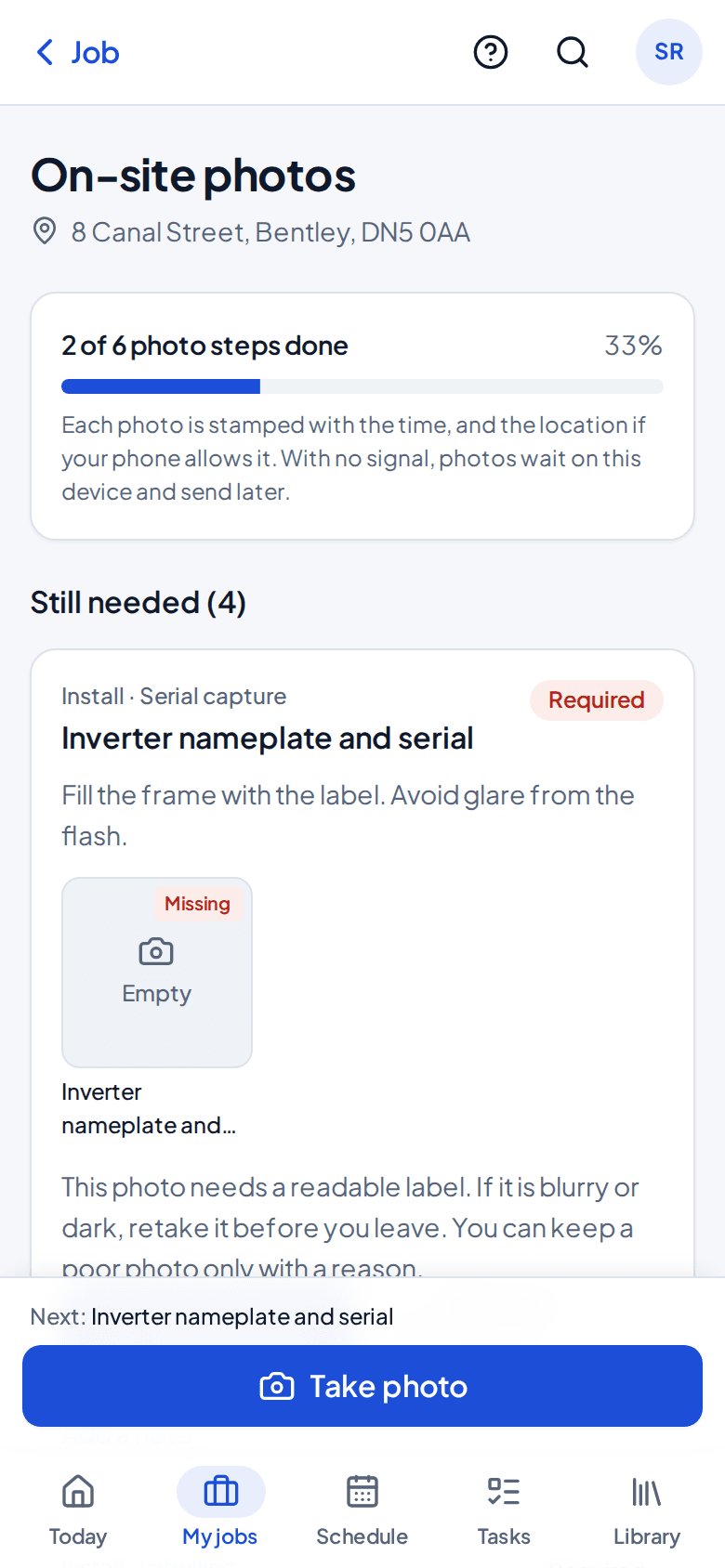
Big buttons, several photos at once and images shrunk before upload. No signal in the loft? Photos wait on the phone and send themselves when you are back online.

  • Works offline
  • Jumps to the next item still needed
  • Location and time recorded with each photo
The on-site capture screen on a phone, with photo upload buttons for each checklist item.

Design, scaffold and shading

Plan the scaffold and see the shade, on the sale

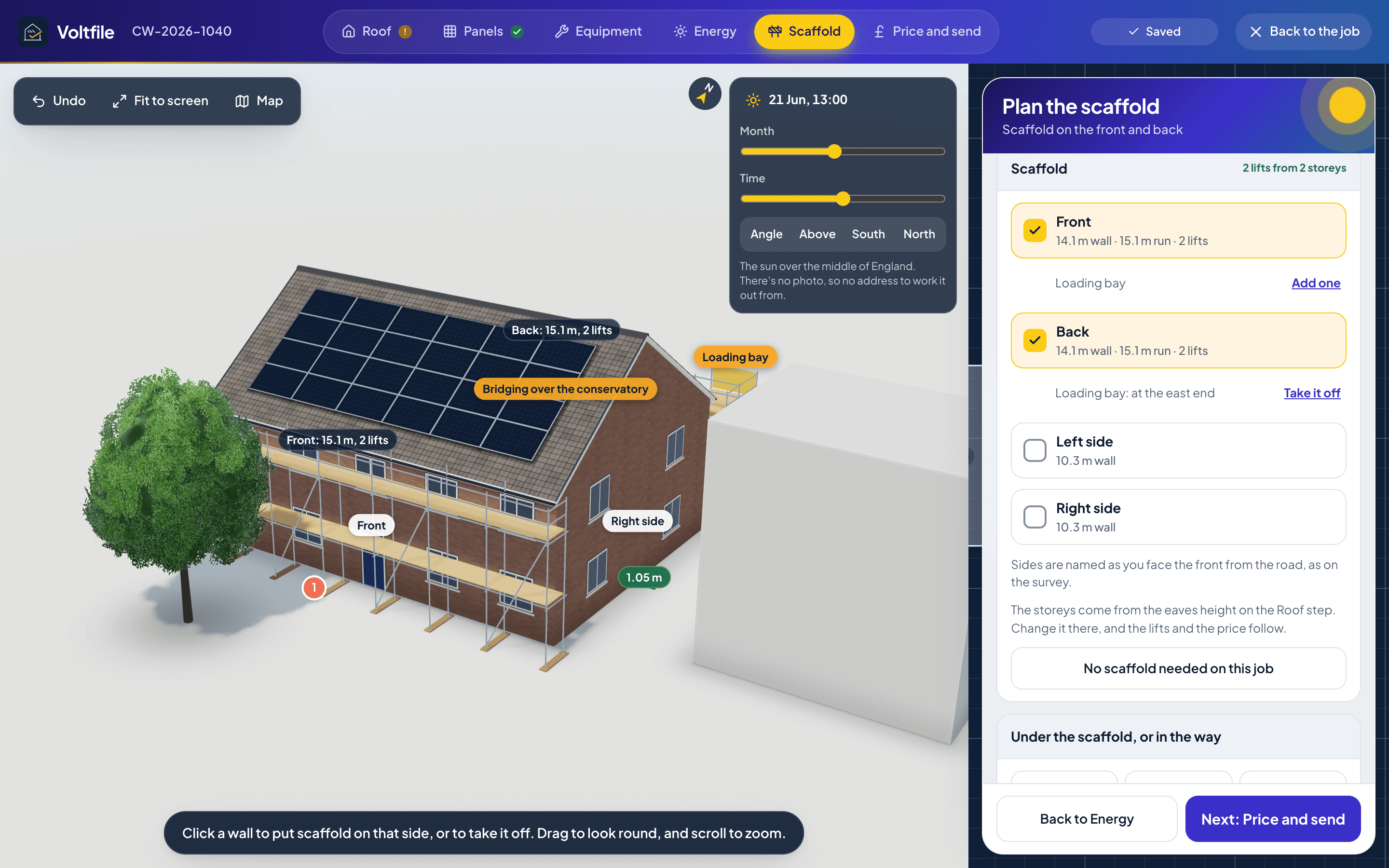
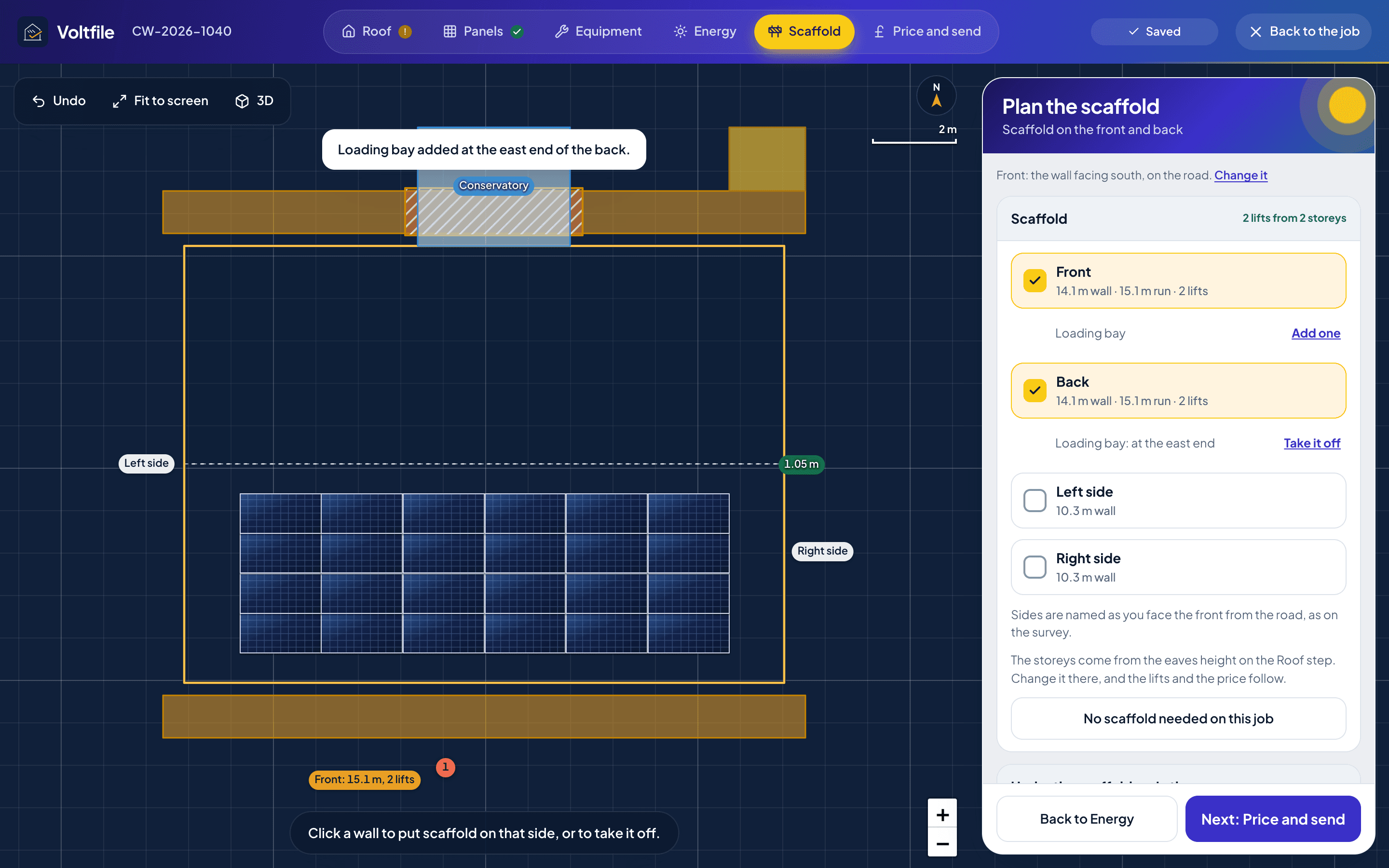
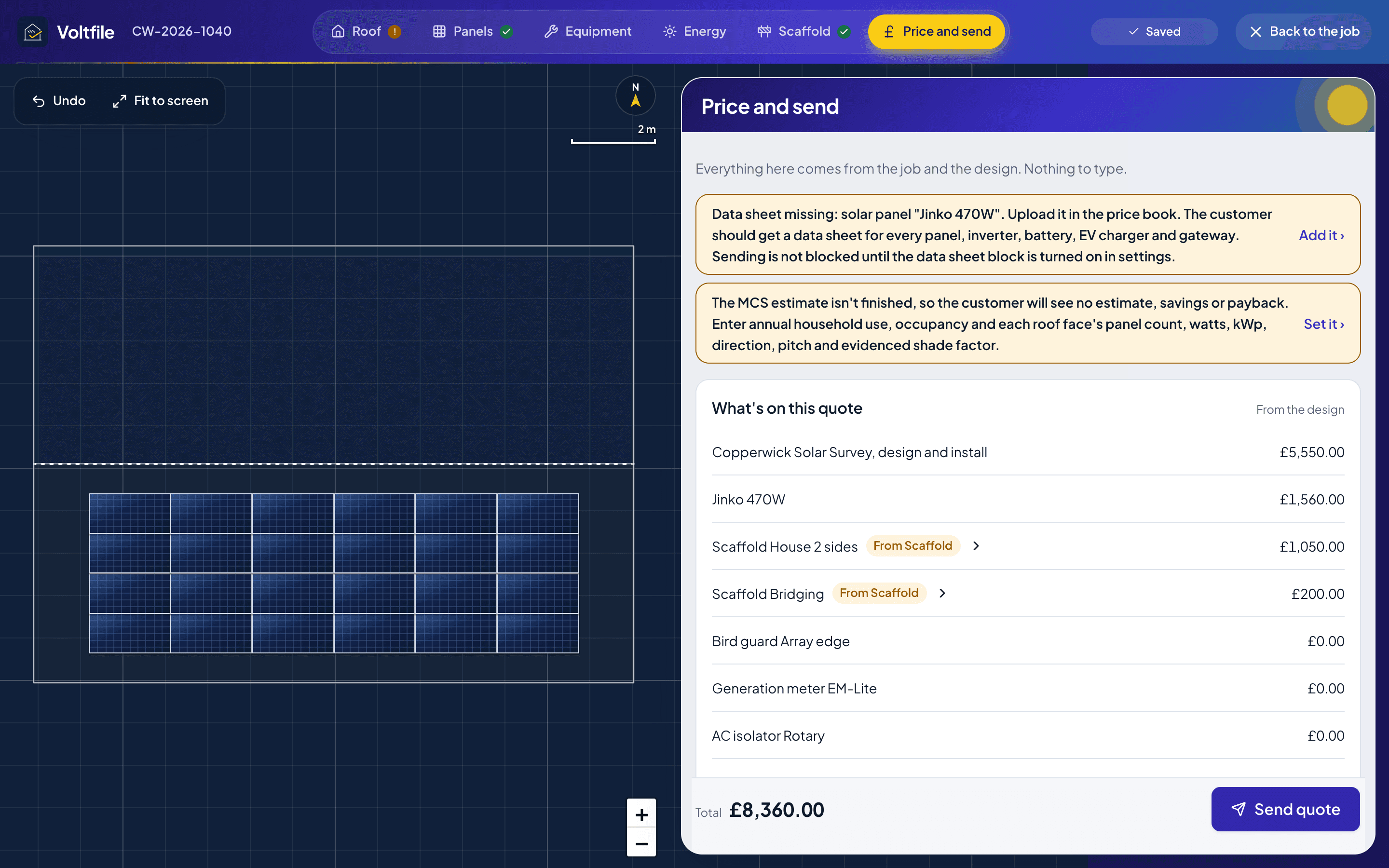
Draw the roof on the aerial photo and fill it with panels. Tap each side of the house to scaffold, with bridging, a loading bay and the gaps measured. Then turn it round in 3D and move the sun to see where the shade falls. The quote follows the design. The full-screen design tool is in beta.

The Scaffold step on a demo job: the house in 3D with scaffold on the front and back, 15.1 m and 2 lifts each, a tree in front and the house next door.

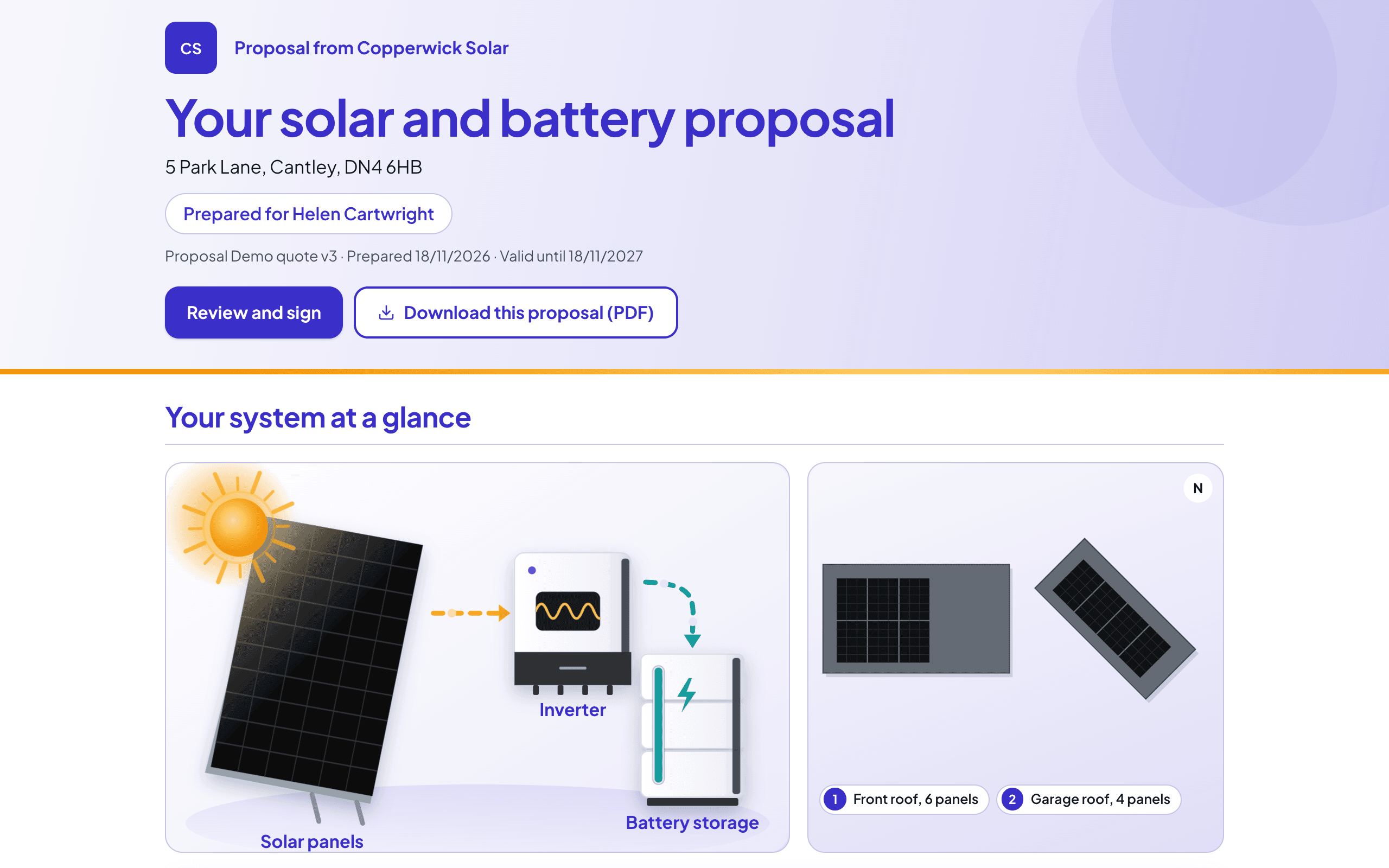
Customer proposal

A proposal your customer can read on their phone

Build the quote from your price book, or start it from the design. The customer gets their own proposal page and a PDF in your brand, and signs on their phone with their name and a drawn signature.

  • Your logo and contact details on the page and the PDF
  • Cost and margin are never shown to the customer
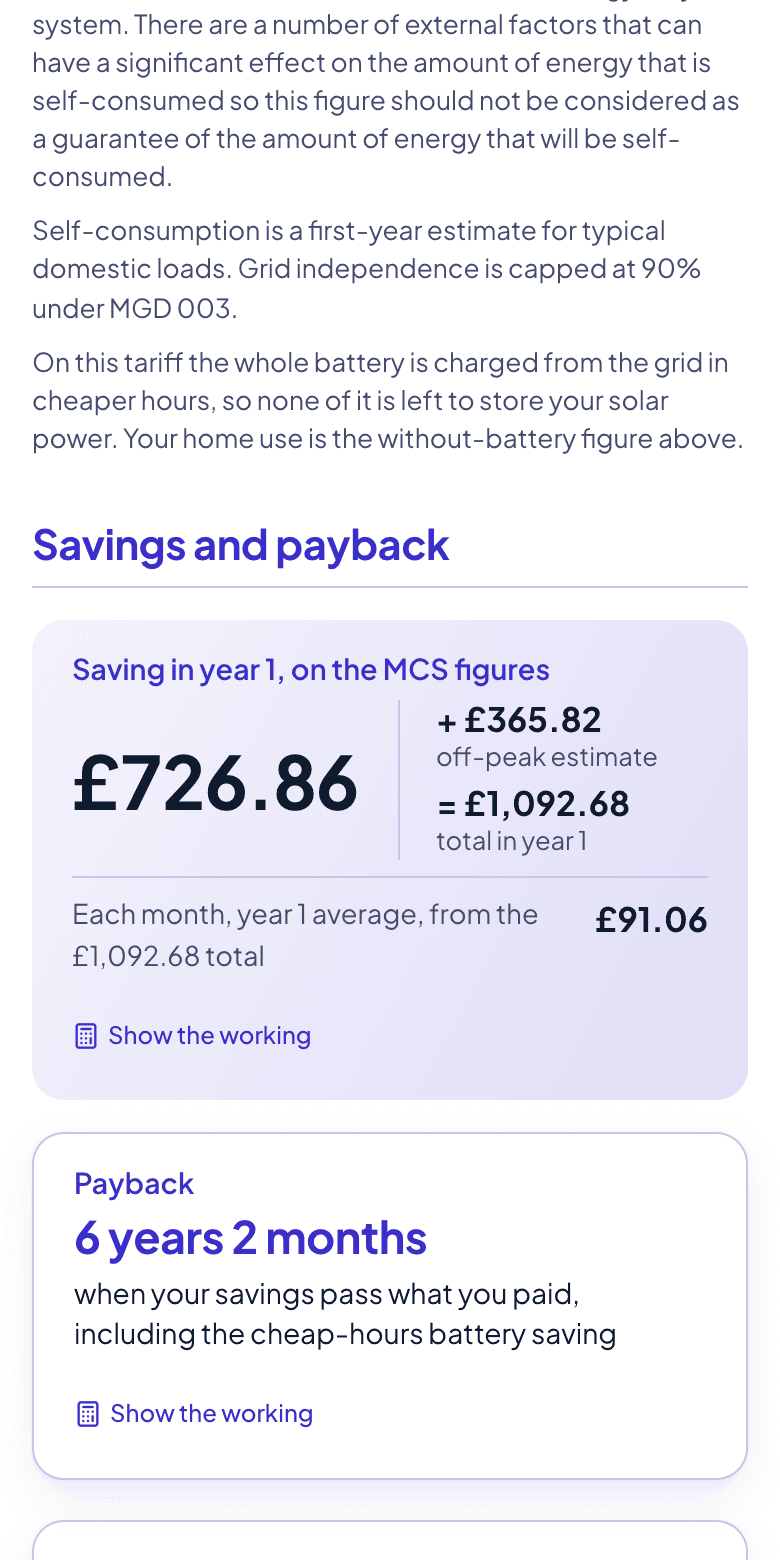
  • The new look adds savings, payback and the roof in 3D, in beta
The same demo proposal on a phone, open at the savings and payback section.

Handover and assessor packs

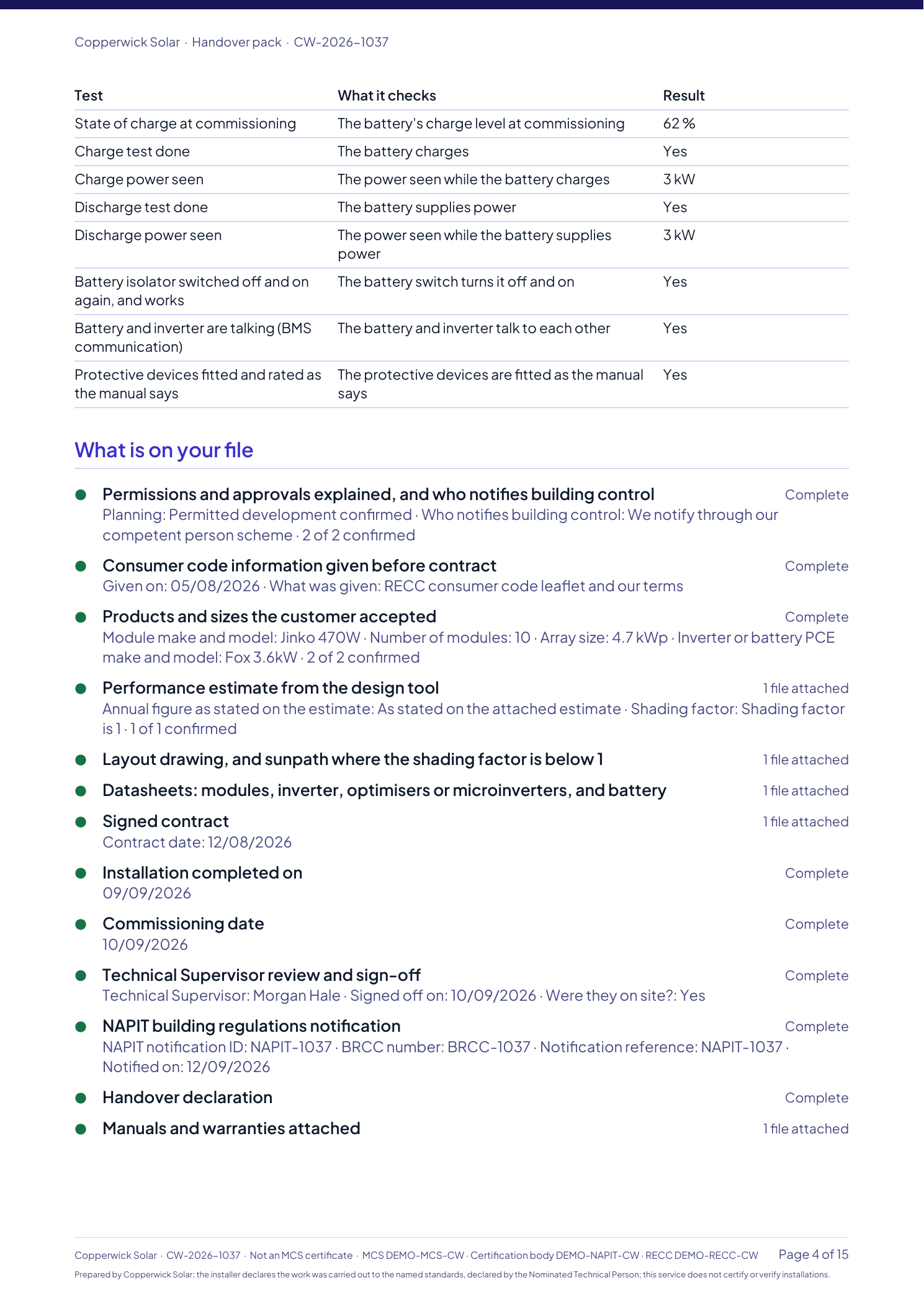
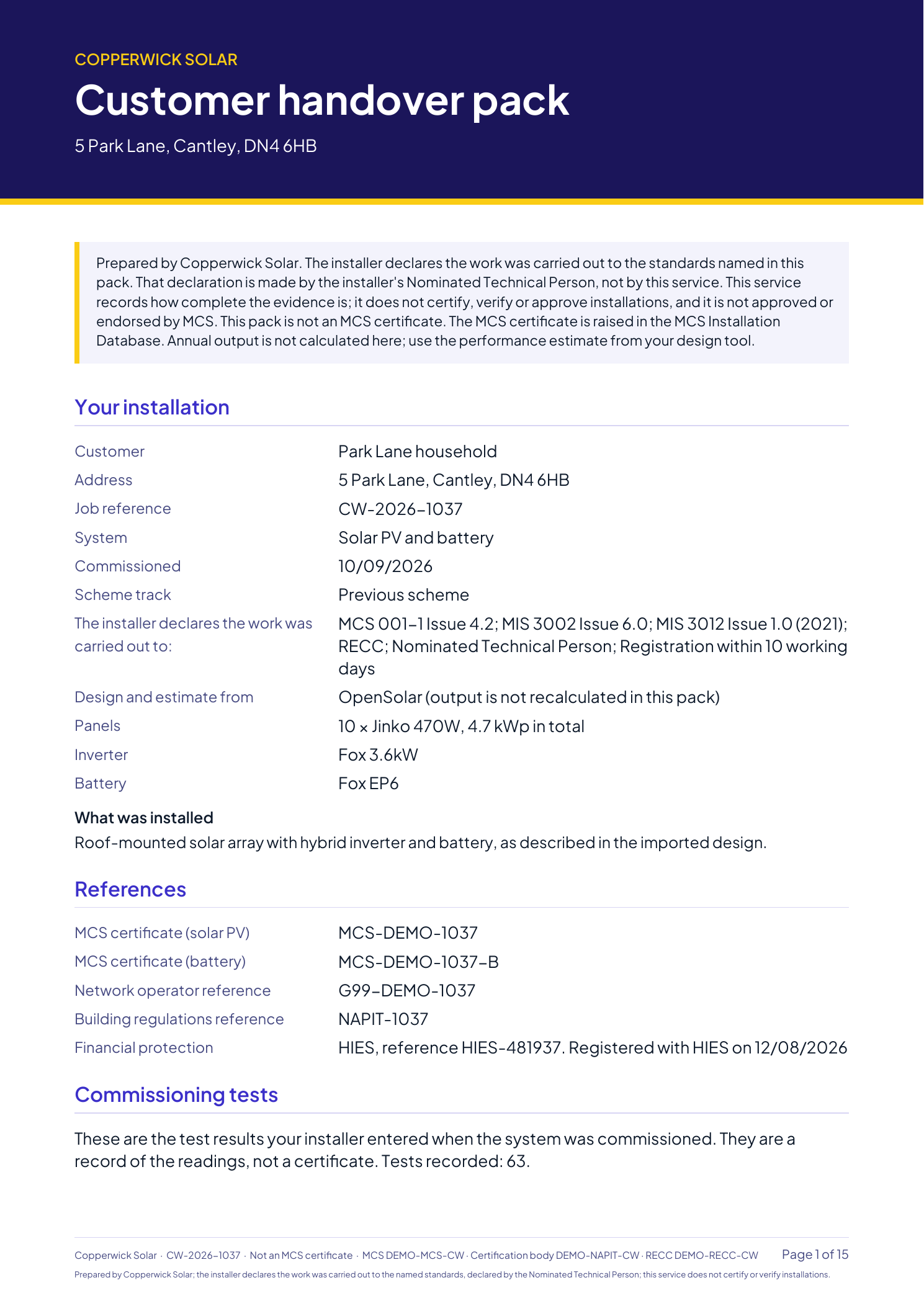
One click for the customer pack and the assessor zip

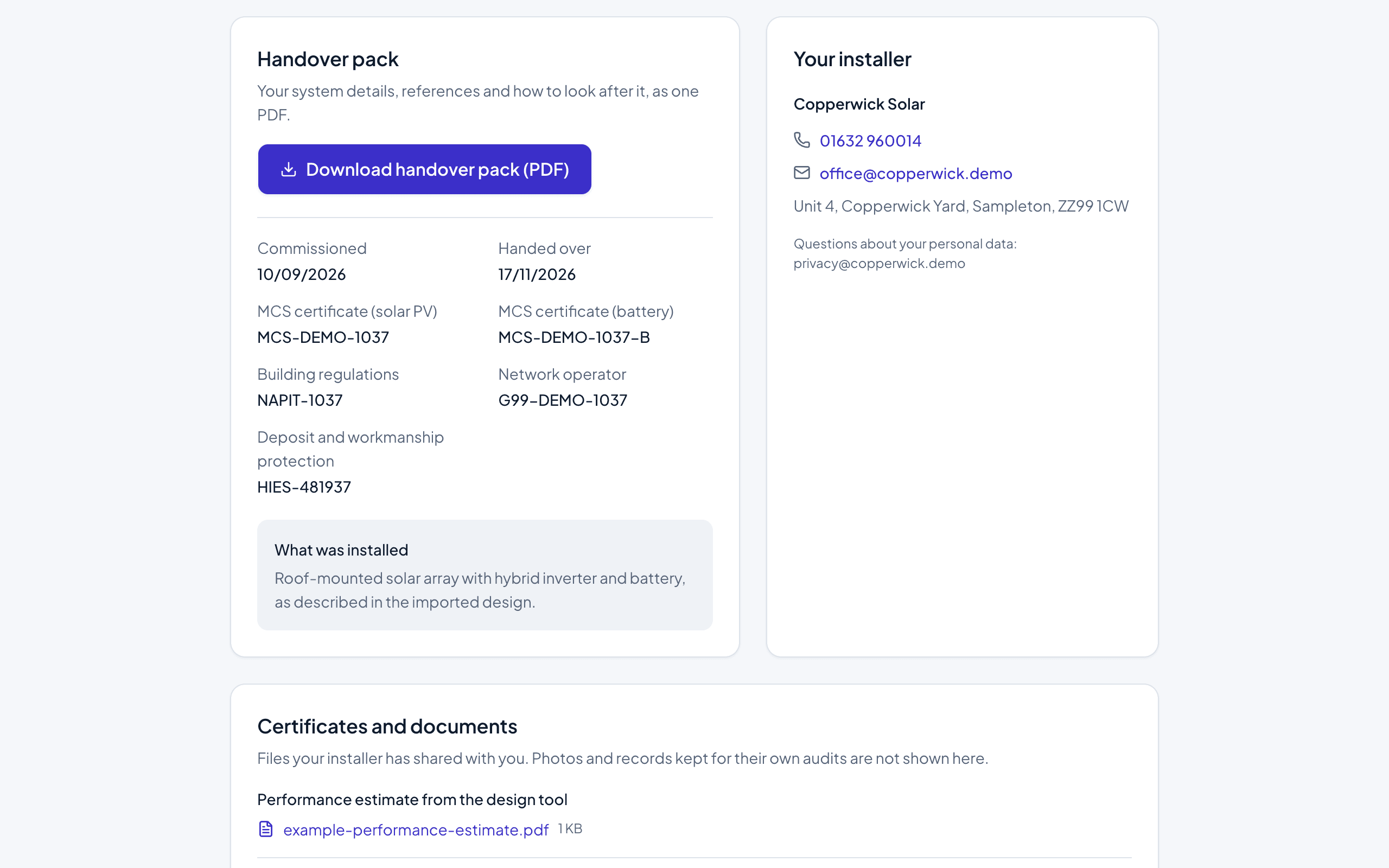
A branded handover PDF with the system details, references and how to look after it. For audits, one zip per job with every file indexed by stage and clause label.

  • Your company name and contact details
  • QR code to the customer’s online copy
  • Export for a customer data request (subject access) on every job

Customer updates

Your customers always know what is happening

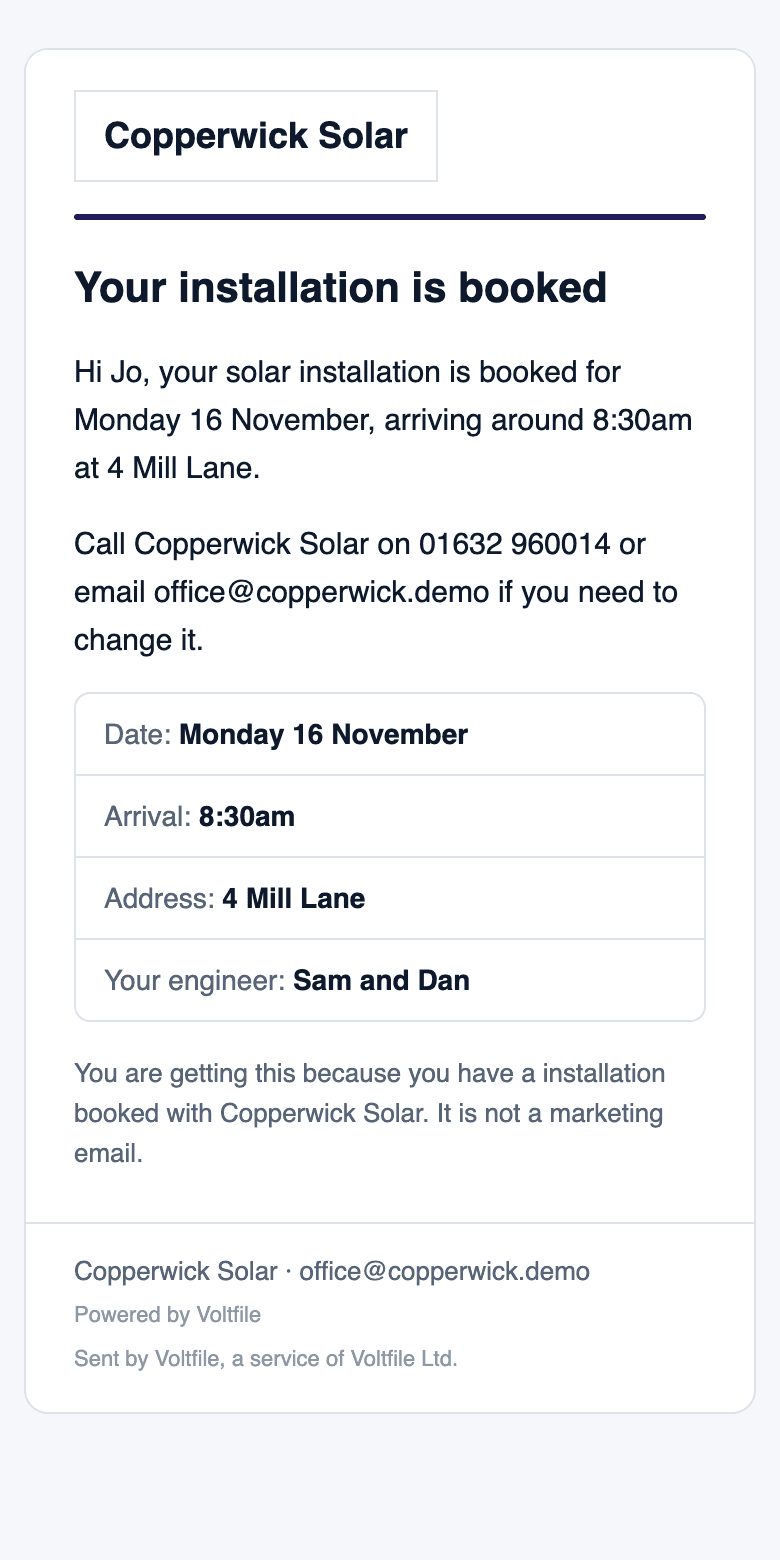
Book a visit and the customer gets an email with the date, the arrival time and who is coming. When the installer taps On my way, the customer gets an email to say so, with a link to their arrival time. As the job moves on, progress emails and the homeowner portal keep them up to date, all in your name.

  • Booking, change and cancellation emails
  • An On my way email with the arrival time
  • Progress emails and the portal, with your logo
A booking confirmation email from a demo installer on a phone: the date, the arrival time, the address and the engineers.

Homeowner portal

Your customers log in to their own installation

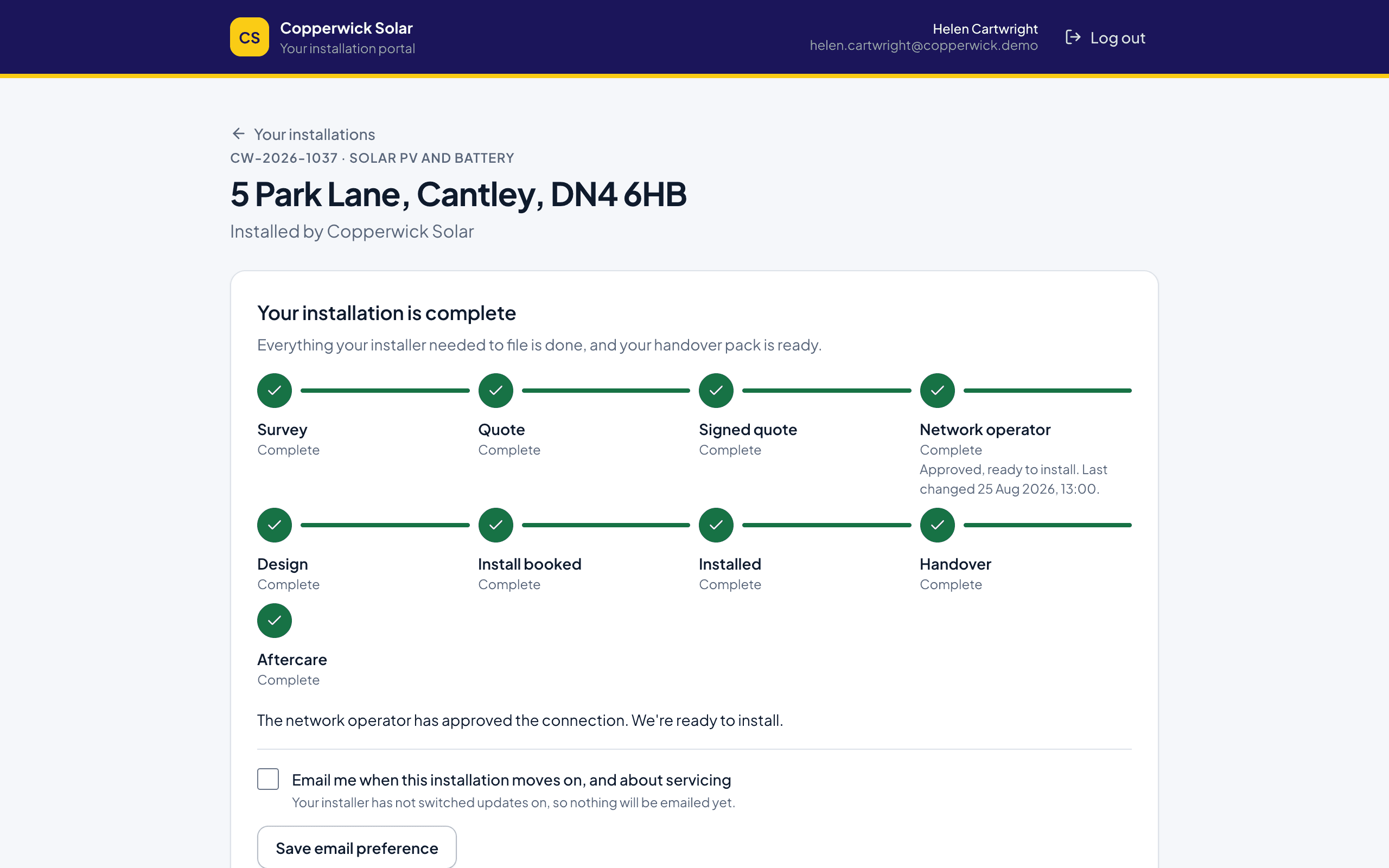
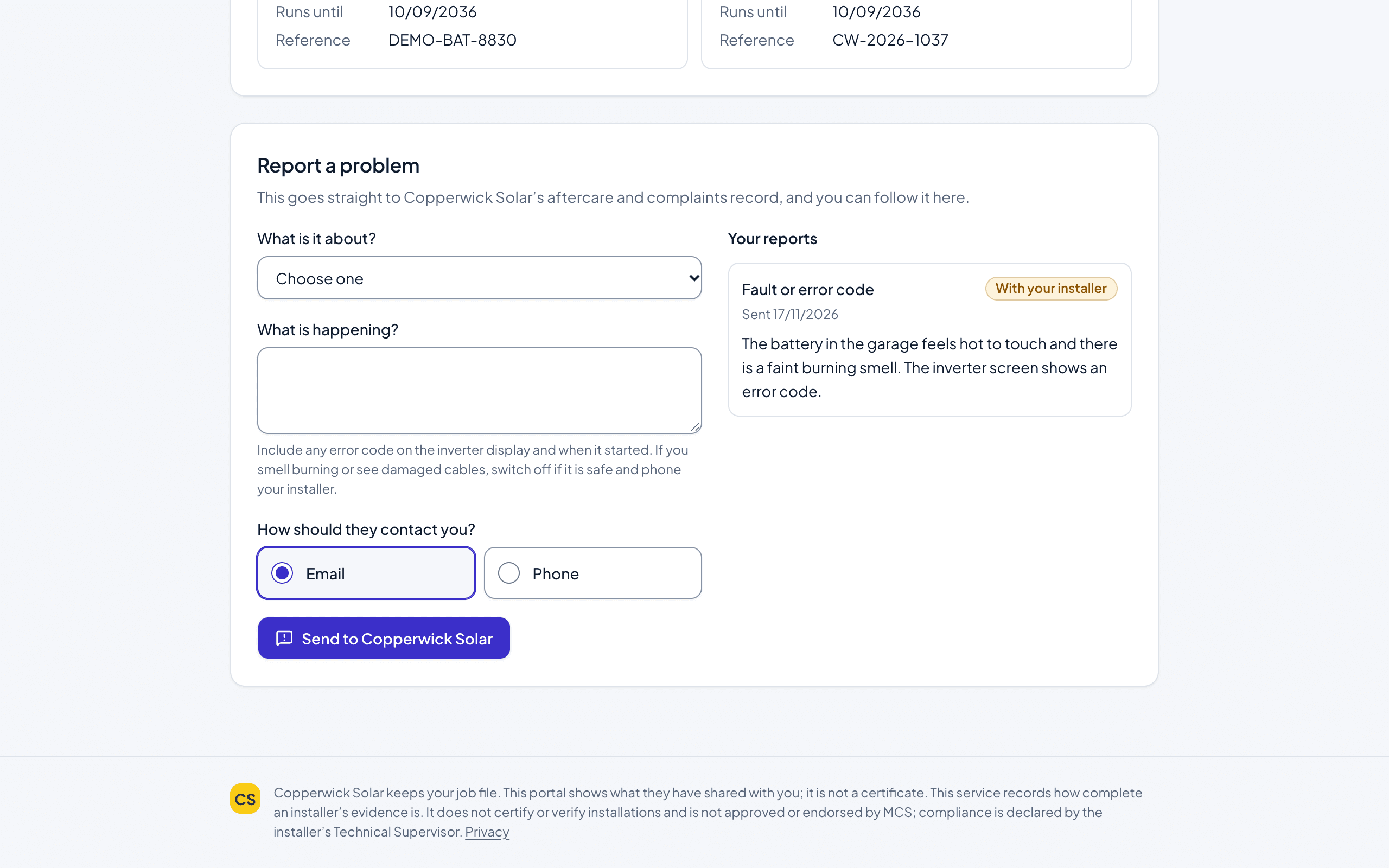
Homeowners get a secure email link, with no password to forget. They follow progress, download the handover pack, certificates and warranties, and report a problem that lands straight in your aftercare register.

The homeowner portal for a demo customer at 5 Park Lane, with every step of the installation complete.

Company registers

Technical Supervisors, training, subcontractors, complaints and feedback, with expiry warnings. The Technical Supervisor is named with your scheme.

Roles for your team

Six roles: Admin, Operations, Design, Compliance, Engineer and Sales, with switches for each person. Engineers see what they need on site and never see prices.

Your data, walled off

Every company’s jobs are kept separate from every other company’s, right down to the database. Data stored in the UK (London).

Design in the job, or bring your own

Draw the roof and place the panels in the design steps, or keep your own design tool and attach its layout to the quote.

Equipment and prices, preloaded

One list of your panels, inverters, batteries and chargers, each with one price. The manufacturers' warranties and figures come filled in.

See it before you send it

Preview proposal opens the customer's web page and PDF exactly as they will get them, before you press Send now.

How it works

Three steps, the same on every job

  1. 1

    Open the job

    Enter the customer and site. Your checklist is copied onto the job, with anything that does not apply already set aside.

  2. 2

    Capture on site

    Engineers work through photos, readings and references on their phone. The office watches the file fill up.

  3. 3

    Hand over when it is all in

    Once nothing required is missing, hand over in one click. The customer gets their pack and portal; you keep the assessor zip.

Solutions

Built for the paperwork you actually do

Each page explains one job in detail, and what the app deliberately leaves to you.

Pricing

One flat price per company

One flat price per company, with no per-job fees. Every plan includes unlimited users and the homeowner portal. Change plan or cancel from the billing page.

Compare plans

FAQ

Questions installers ask

What does Voltfile actually do?

Voltfile is one job file for every install, from survey to aftercare. The survey, the design, quotes, install evidence, certificates and the handover pack all live in one place, so nothing gets lost on an engineer's phone.

How does it stop me missing paperwork?

Every job shows a red, amber or green readiness % and a list of exactly what's still missing. Your engineers see it on their phone before they leave site, so no more going back for a serial number photo.

Will it make my MCS audit easier?

Voltfile builds the audit pack for each job from the evidence you've already collected. Your Technical Supervisor still signs off.

Does it cover the new MCS:2025 rules?

Each job runs on the right scheme track, previous scheme or MCS:2025, based on your move-over date and the contract date. Deadlines and checklists follow automatically.

Can my engineers use it on site?

Engineers get their own phone view of their jobs, can do the survey on their phone with photos and a sketch, and tick off evidence as they go.

What does my customer get?

A handover pack and their own homeowner portal with all their documents, plus branded emails from you as the job moves along.

Does it help with DNO applications?

Voltfile tracks every network application: which route the job needs, where it's up to, when to chase, and it warns you before you book an install that's still waiting on approval.

Can I quote and schedule in it?

Build quotes from your own price book, with cost and margin hidden from the customer. Plan surveys, scaffold and installs in the scheduling calendar, on every plan. The customer gets a booking email, and an email when the installer taps On my way.

How much does it cost?

One flat price per company with no per-job fees, so your bill doesn't grow as you install more. Every plan and price is on the pricing page.

How long does it take to set up?

We'll set it up with you and there's a guided tour built in.

Does it replace my CRM or design software?

It has its own Sales board for leads: chase them, then turn each one into a job in one tap. If you'd rather keep your CRM, that works too. Design in Voltfile's design steps, or keep OpenSolar or Easy PV and attach the layout to the quote.

See your next handover pack come together

Start a free trial, or book a 20-minute call and we will walk through a real job file with you.