Your year in the sun
Each ray is a month of what your panels make. The dotted ring is what your home uses.
Your home uses about 310 kWh a month (your yearly use spread evenly).
Step 4 of 8: Proposals
Build the quote from your price book, or start it from the design. The customer gets a branded proposal page and a PDF, and signs on their phone.
The new proposal look, with savings, payback and charts, is in beta. Ask us to switch it on for your company.
On a demo quote
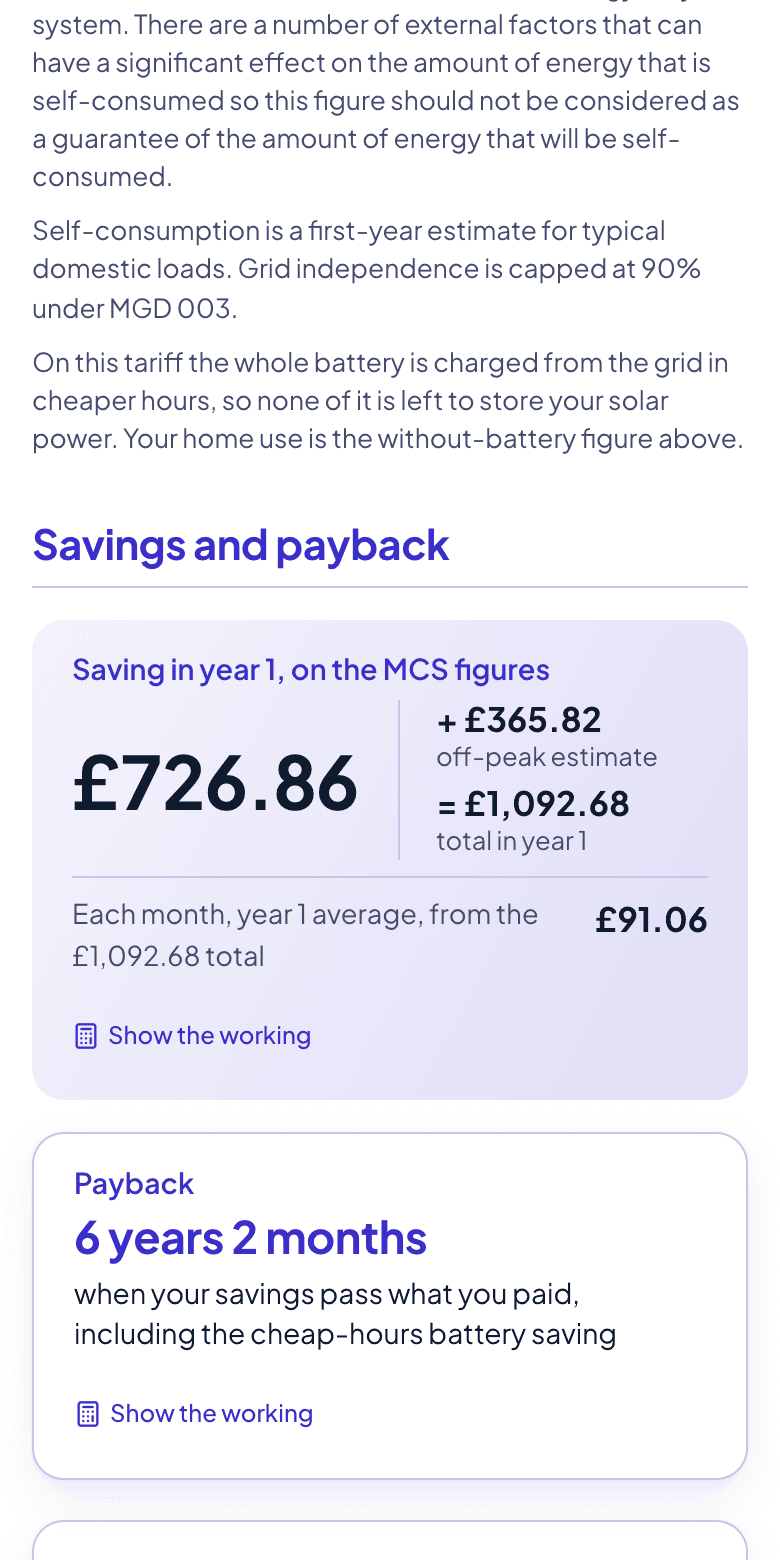
The new proposal look, on a demo quote. The energy flow, the year in the sun, payback, the bill each year and what a battery changes, all from the quote's own figures.
Saving in year 1
£1,092.68
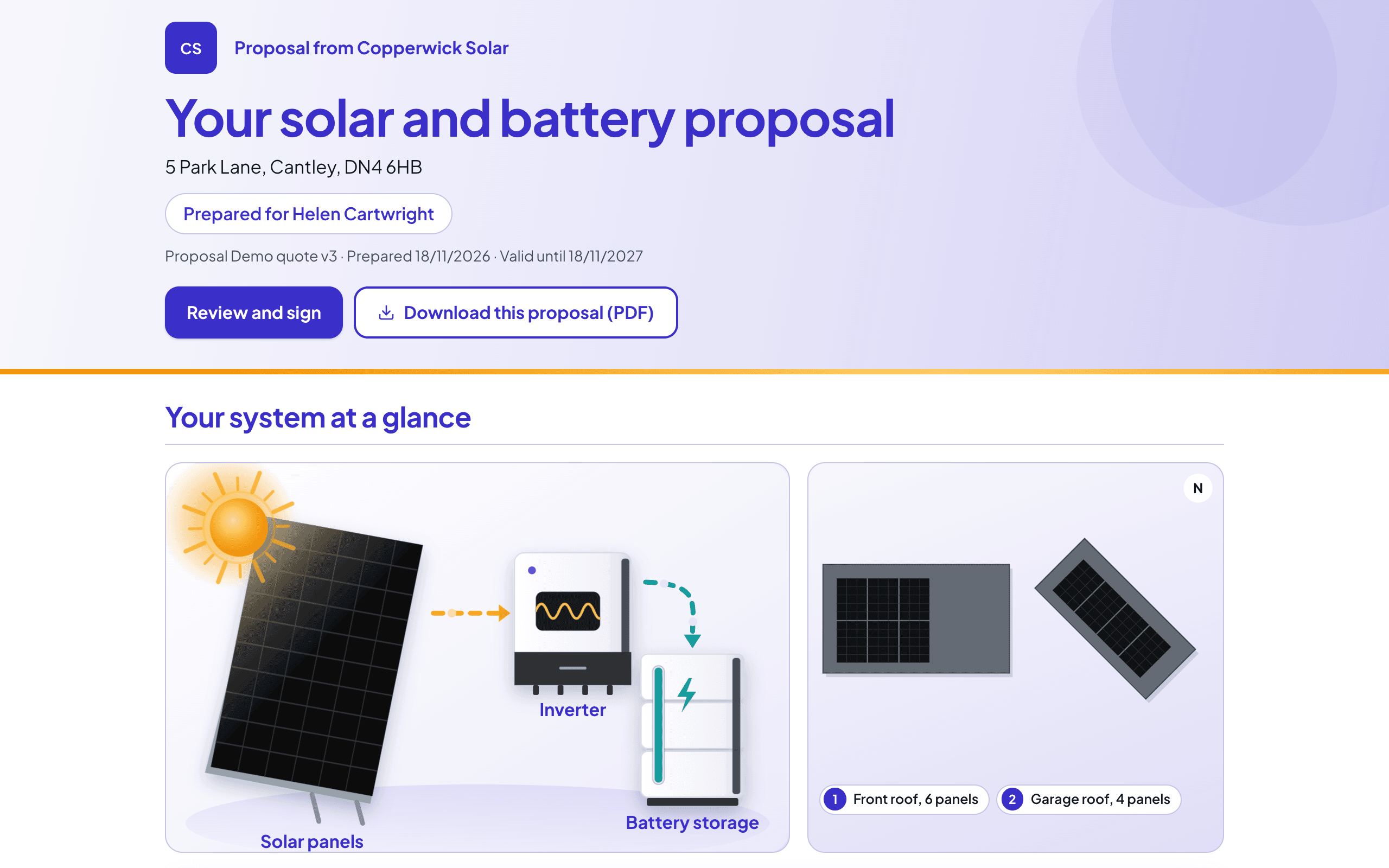
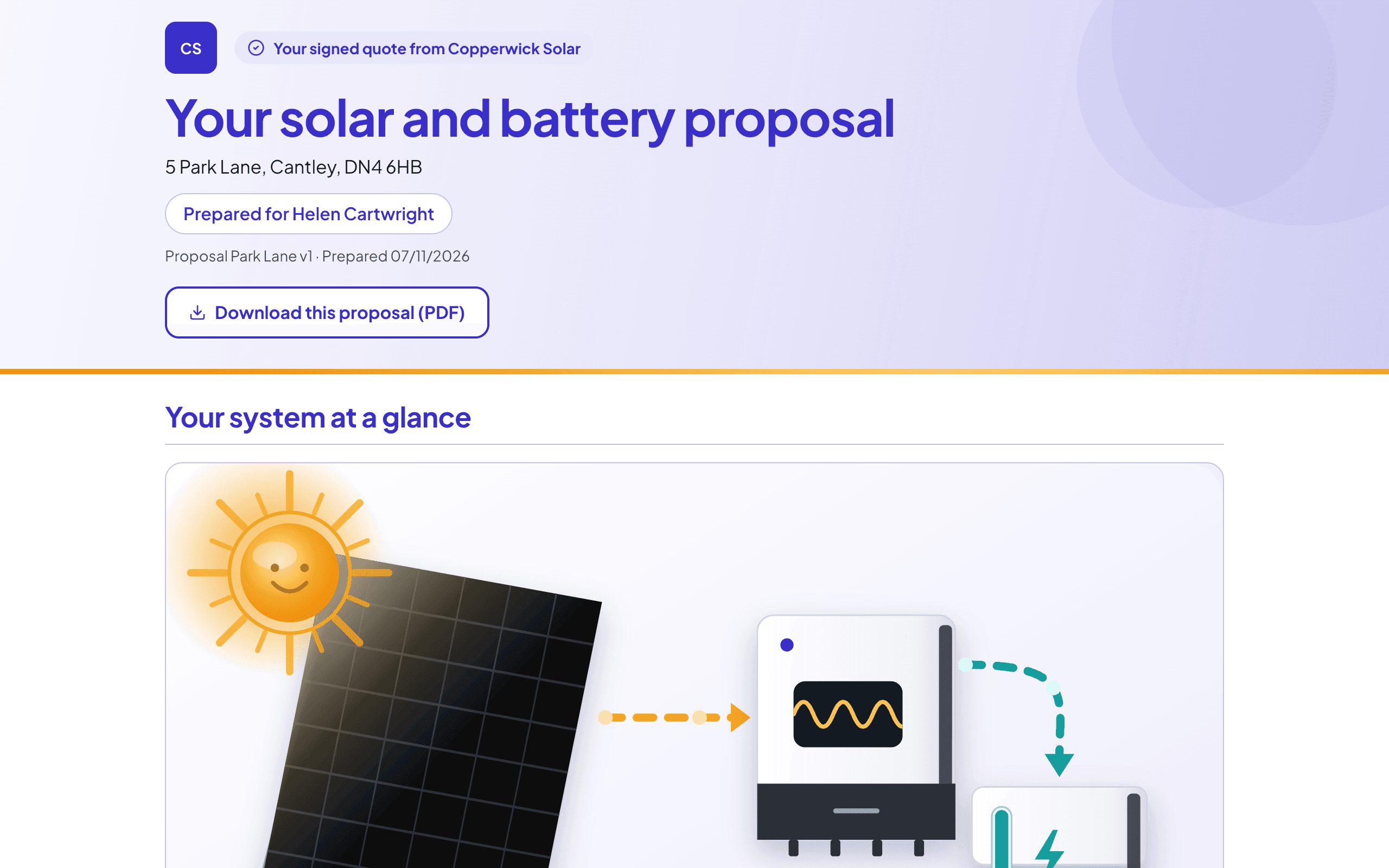
From the roof to the home: the panels, inverter and battery on this quote, with the electricity moving through.
How it runs on a job
The quote is on the same screen as the roof: Roof, Panels, Equipment, Energy, Scaffold, and Price and send. The panels, equipment, parts list, roof sides and scaffold come from the design, and the customer's yearly use, tariff, electric car and heat pump answers from the survey. Prices always come from Equipment and prices and your price book. The quote saves itself a moment after each change.
Fill in what you know. Anything left blank is shown as not worked out and left off the customer's quote, never guessed. Your price rules handle panel discounts, what fits together and quantity limits. If the design uses a different panel from the quote, the quote says so, with one tap to swap it in. A battery-only quote needs no roof.
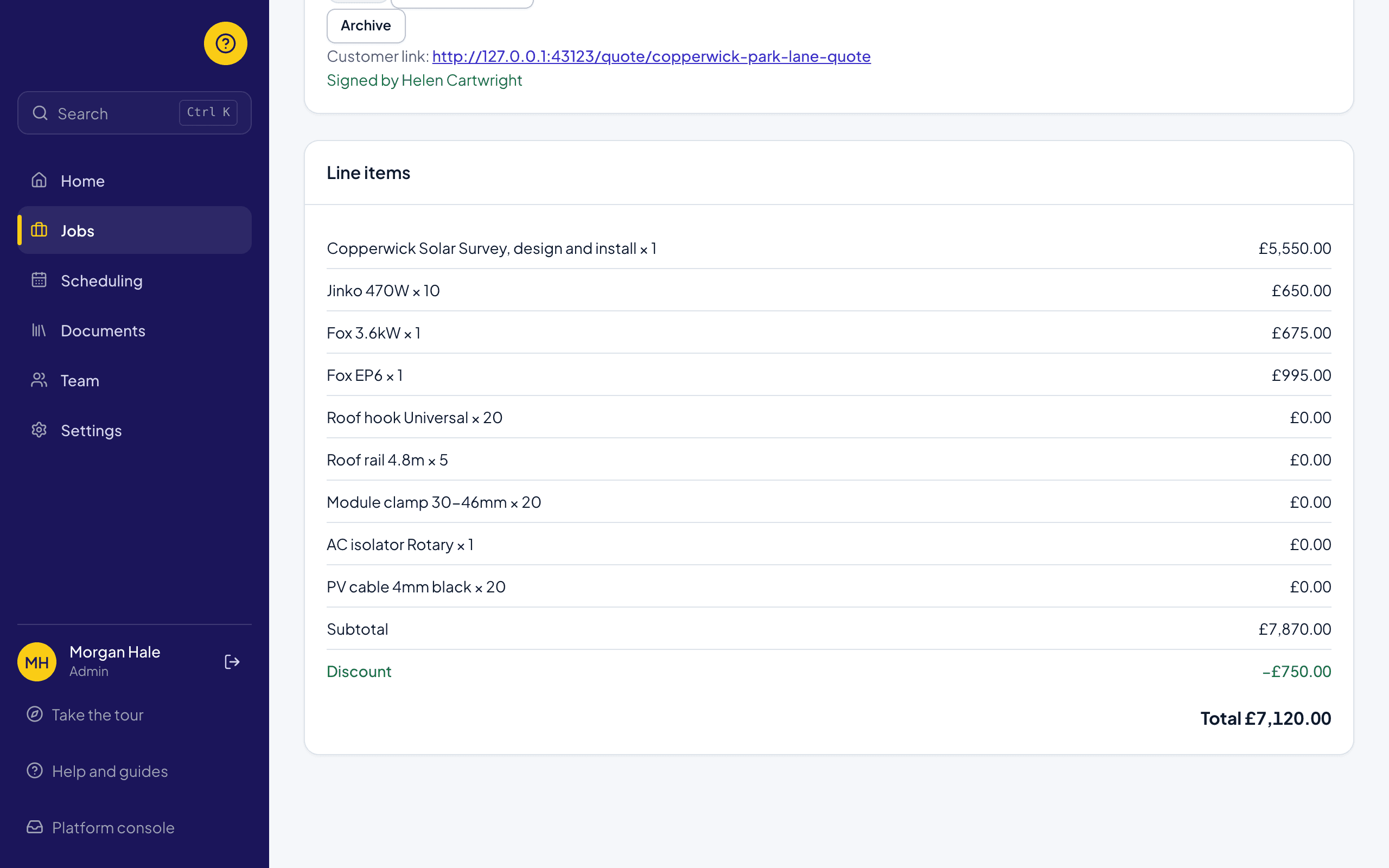
Cost prices and margins are for admins, and for sales only if you tick the box. Switch on manager approval and a quote under your minimum margin, or over your discount limit, waits for a manager before it goes. The customer only ever sees your selling price.
Preview proposal, beside Send now, opens the customer's web page and the PDF first, exactly as they will get them. The customer gets a link to their own proposal page, with your logo and contact details, the system at a glance, the equipment, the price and what it covers, and the terms. They can download it as a PDF.
They type their name, draw their signature and accept the terms. The page then shows the deposit with your bank details, and the quote is marked signed with the name and the time.
Change this quote makes a new version. The signed copy never changes, and when the customer signs the new version the old one is marked as replaced.
Your parts, price rules and bill of materials live in the price book. A quote picks them up, and fills itself from the design and the survey.
Add an extra discount if you need to. Each section of the proposal can be switched on or off in Proposal settings.
Every proposal opens with your name and logo, the site and the date it is valid until. Then the summary, the equipment with its data sheets, the goods and services with the price and payment schedule, the terms, and the place to sign.
With the new proposal look switched on, it also shows the system at a glance with the roof plan, the MCS estimate, savings and payback year by year, a monthly chart, a battery comparison, the customer's roof in 3D, and what happens next.
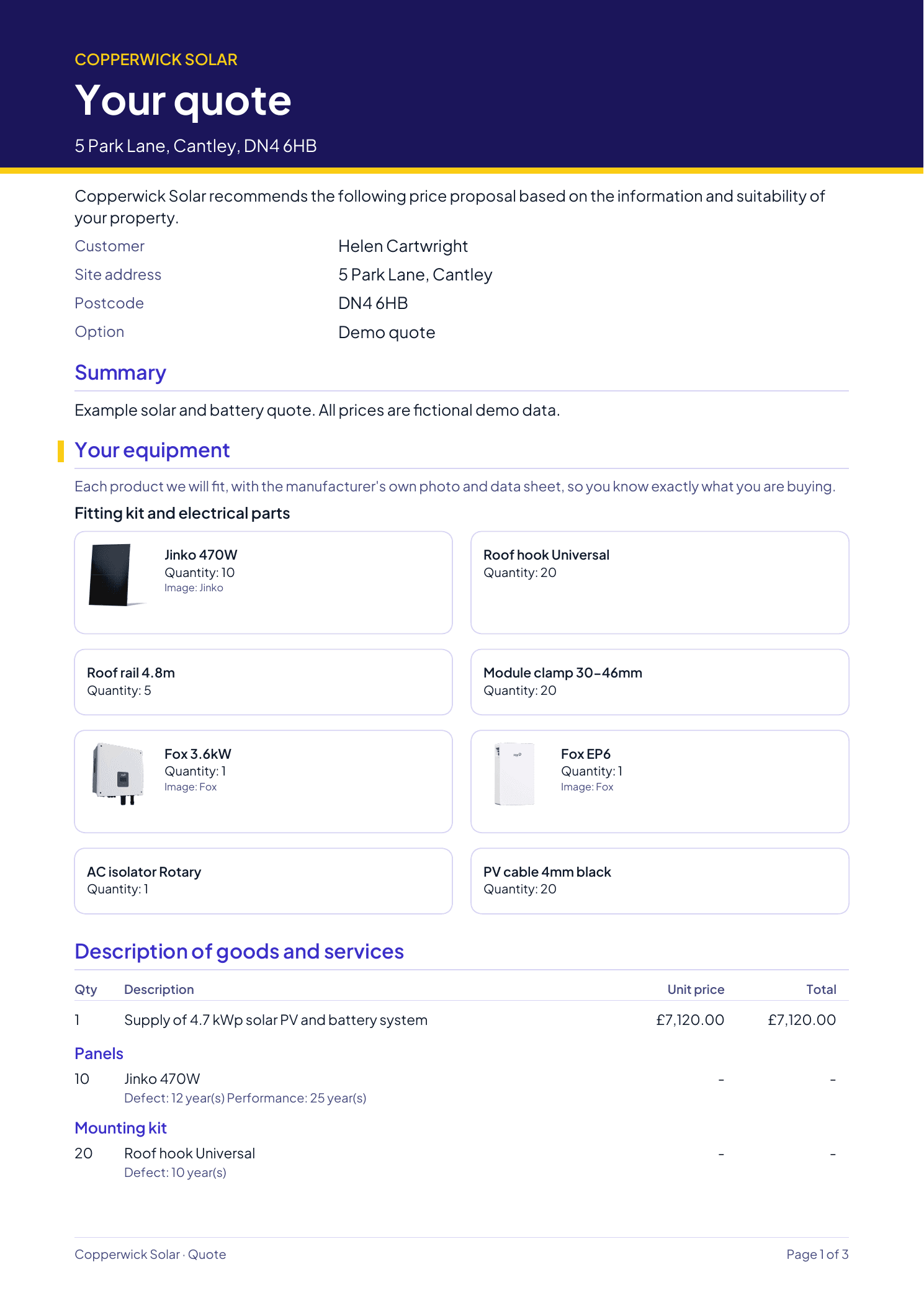
The customer can download the proposal as a PDF from their page. It opens with your name and logo, the customer and the site, then a summary, the equipment, the goods and services, the price with its payment schedule and valid-until date, and your terms.
With the new proposal look switched on, the PDF follows the new page instead, with the MCS estimate and a QR code back to the online proposal. The MCS estimate uses the MCS tables, fetched every night.
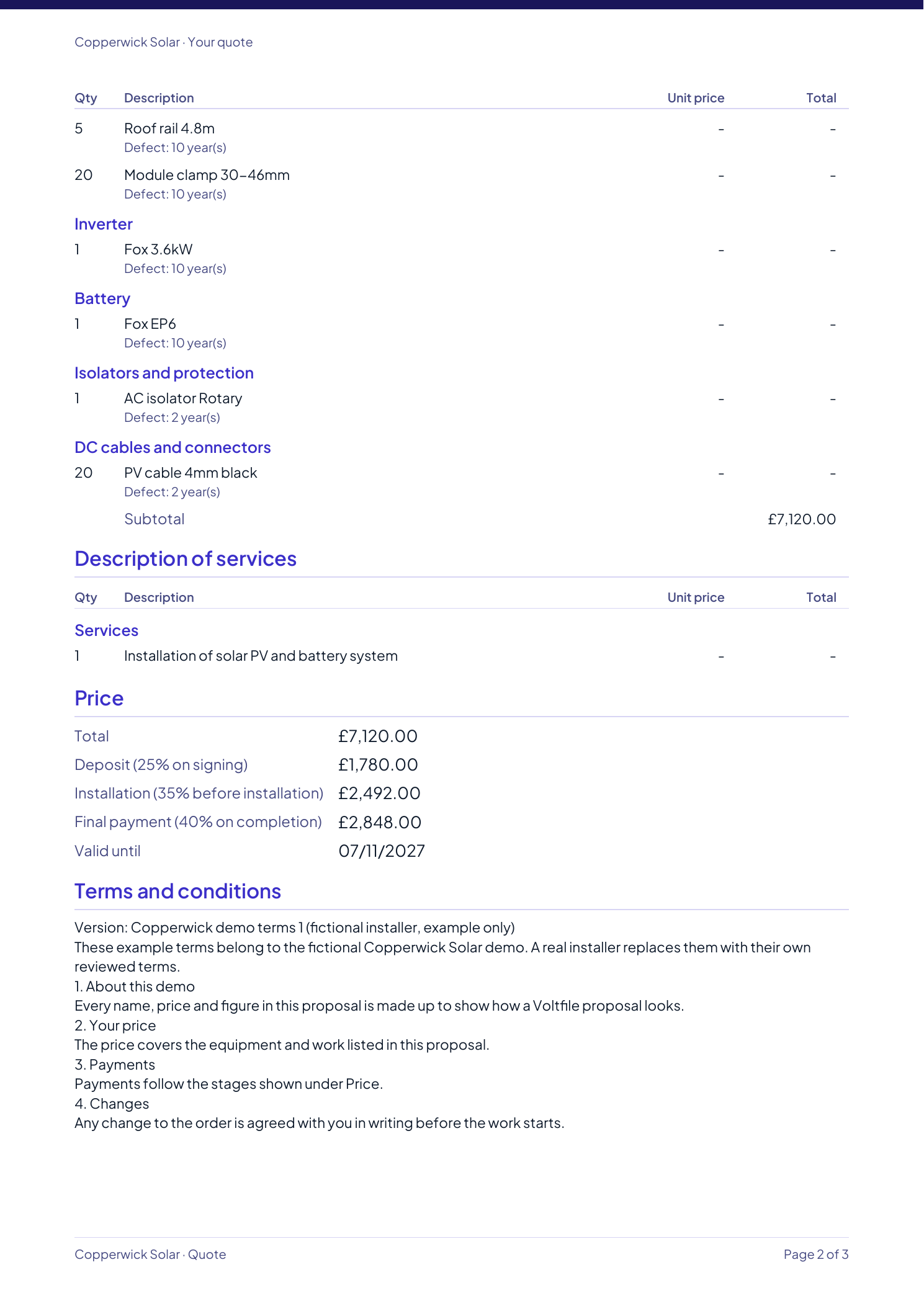
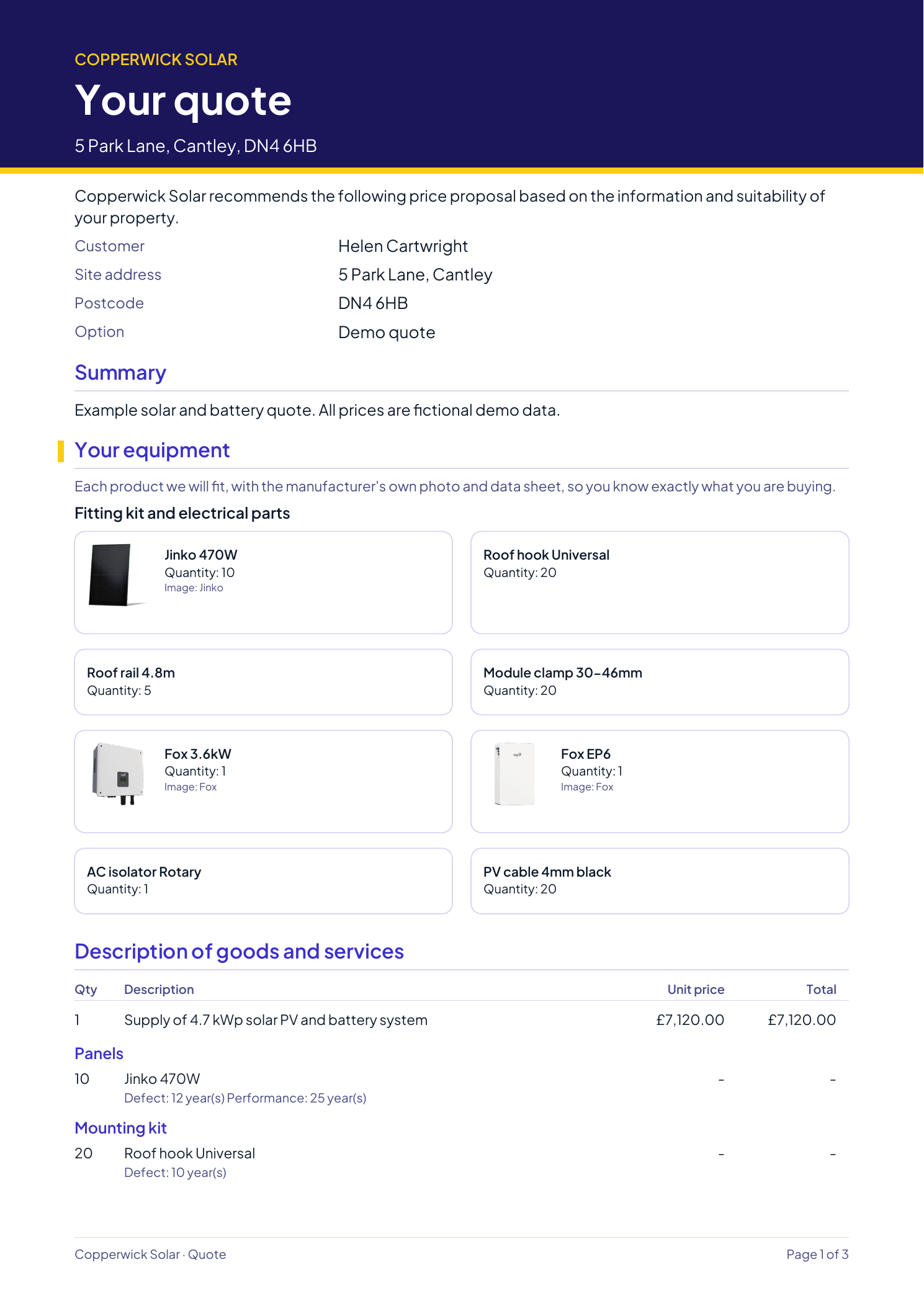
When you go to send, Preview proposal sits beside Send now. It opens the customer's web page and the PDF as two tabs, exactly as the customer will get them.
Nothing is sent or signed from the preview, and Send now works from inside it.
Send this quote?
It goes to Helen Cartwright at helen.cartwright@example.co.uk.
£7,120.00
The customer signs on the proposal page. A signed quote can still be changed: Change this quote makes a new version for the customer to agree.
Kept on the job with the rest of its evidence, where your office and your assessor can find it.
The screens on this page are a made-up demo company, Copperwick Solar, with made-up jobs and customers.
FAQ
Yes. Book a demo and we will walk you through a full proposal for Copperwick Solar, a made-up installer, the way your customer sees it.
Yes. Your logo and contact details are on the page and the PDF on every plan, and your own colours on Pro and Scale.