
Step 7 of 8: DNO and ENA
DNO applications filled from the job and sent through ENA
Voltfile works out whether the job is G98, G99 or G100, fills the application from the job, and sends it through ENA Connect Direct. The office sees where every application is.
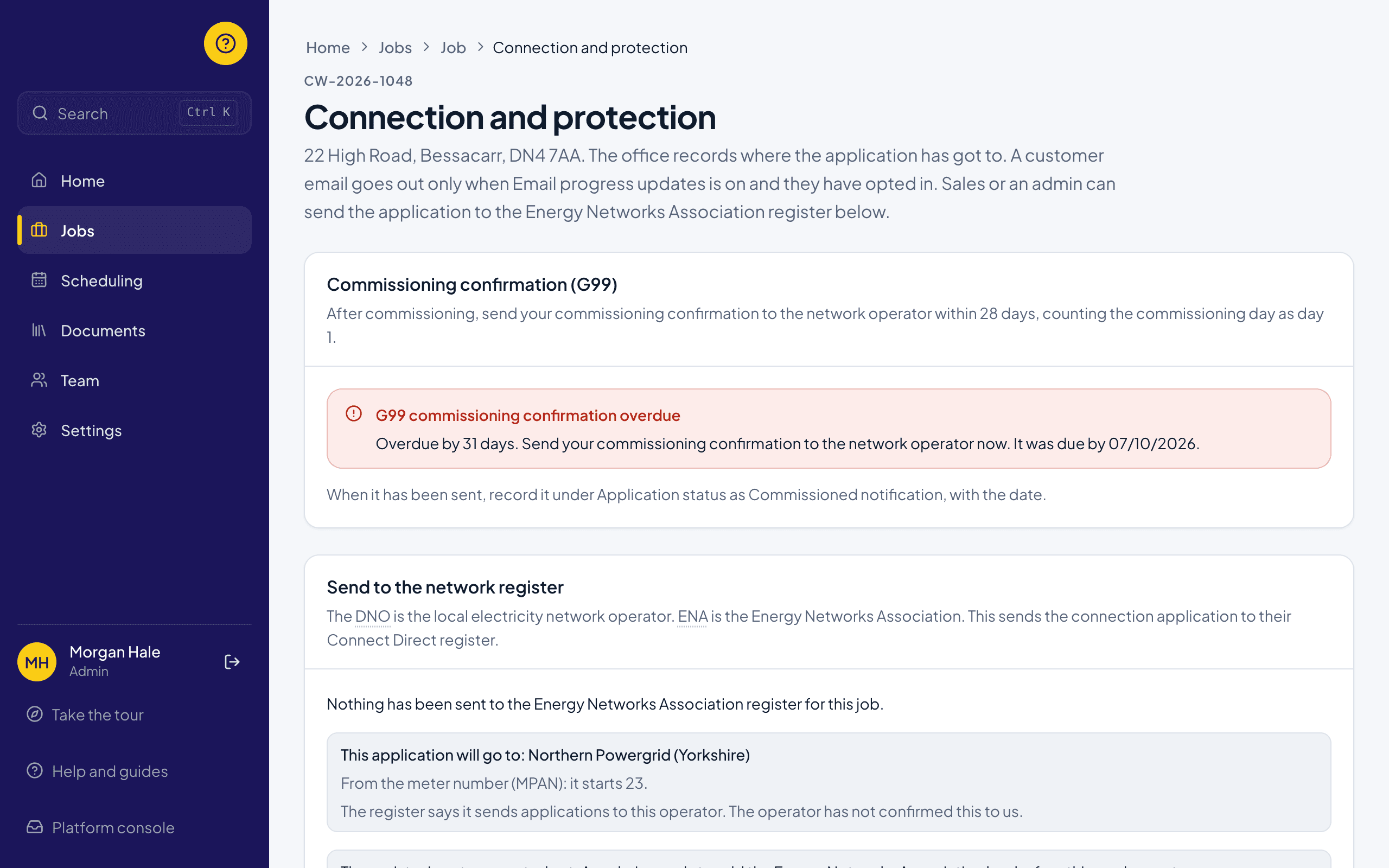
How it runs on a job
What the installer does, step by step
Step 1: See the route
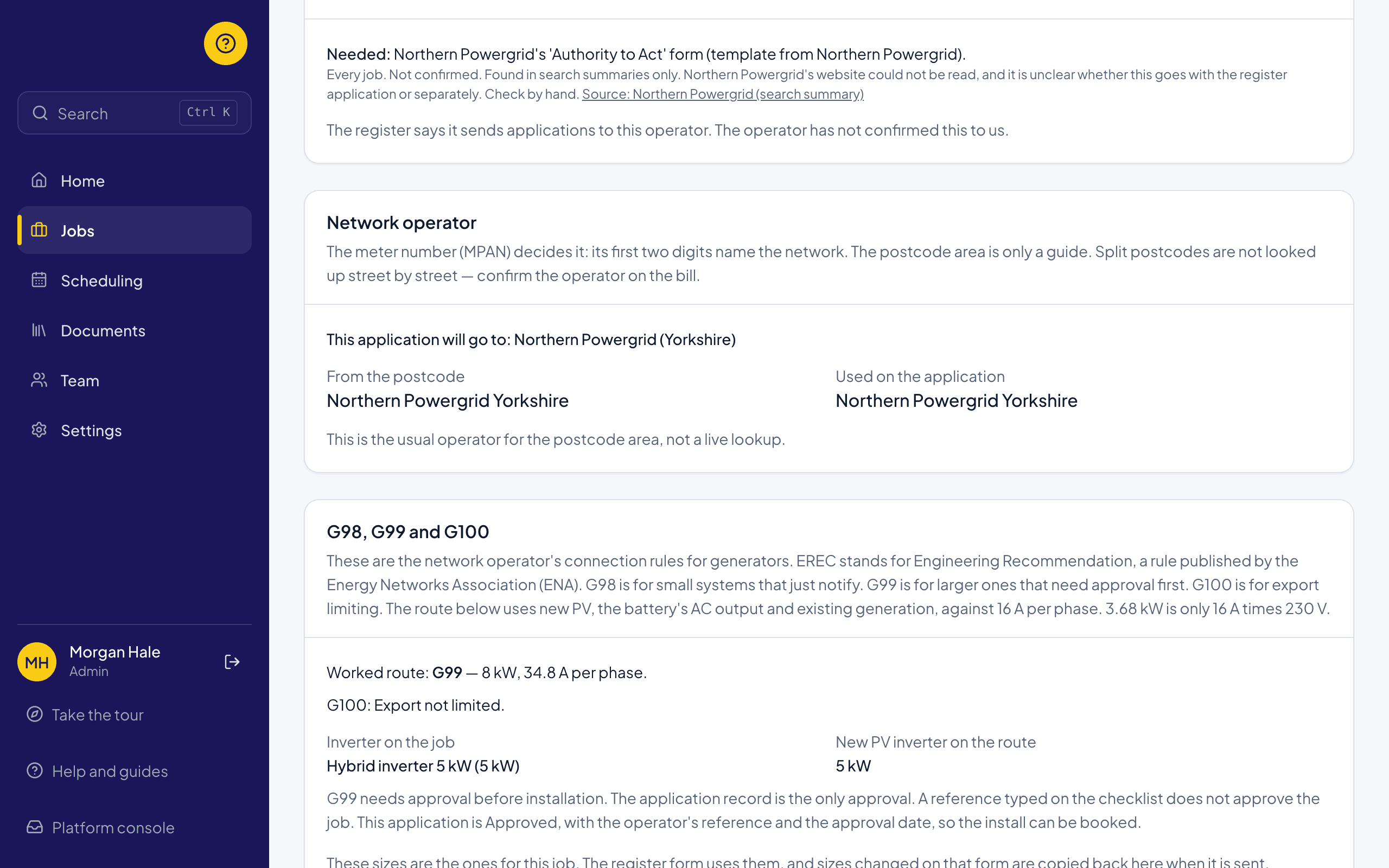
The connection page adds up the new PV inverter, the battery inverter and any existing generation, per phase. It shows Fit and tell (G98) or Approval first (G99), and says when G100 applies as well because export is limited.
Step 2: Check the operator's extra paperwork
Each network operator's own forms and documents are listed, each marked Needed, Maybe or Not needed, with a link to where the rule comes from.
Step 3: Check the application, filled from the job
The MPAN, the customer and installer details, the supply phase, the cut-out rating and photo from the survey, and the panels, inverter and battery from the quote are already in. The installer checks the sizes, answers the export and supply questions, finds the inverter's type test and confirms the details.
Step 4: Send it through ENA Connect Direct
Send the application from the job. Send a change, add a comment or attach the cut-out photo from the same page, and press Check for updates to see where it is.
Step 5: Follow it to approval
A G99 job moves through clear stages: being prepared, submitted, acknowledged, more information requested, offer received, accepted, and ready to install. It can't be booked for install until the approval and the operator's reference are in.
Step 6: Tell the operator after commissioning
The 28-day clock starts on the commissioning day and shows when the notice is due soon or overdue. The commissioning form goes through ENA Connect Direct as well.
The right route, worked out
The route comes from the PV, the battery and the existing generation on the property, in amps per phase. Each DNO's extra paperwork is listed. A G99 job that is still waiting on approval can't be booked for install, and the job, the calendar and the board all say so.
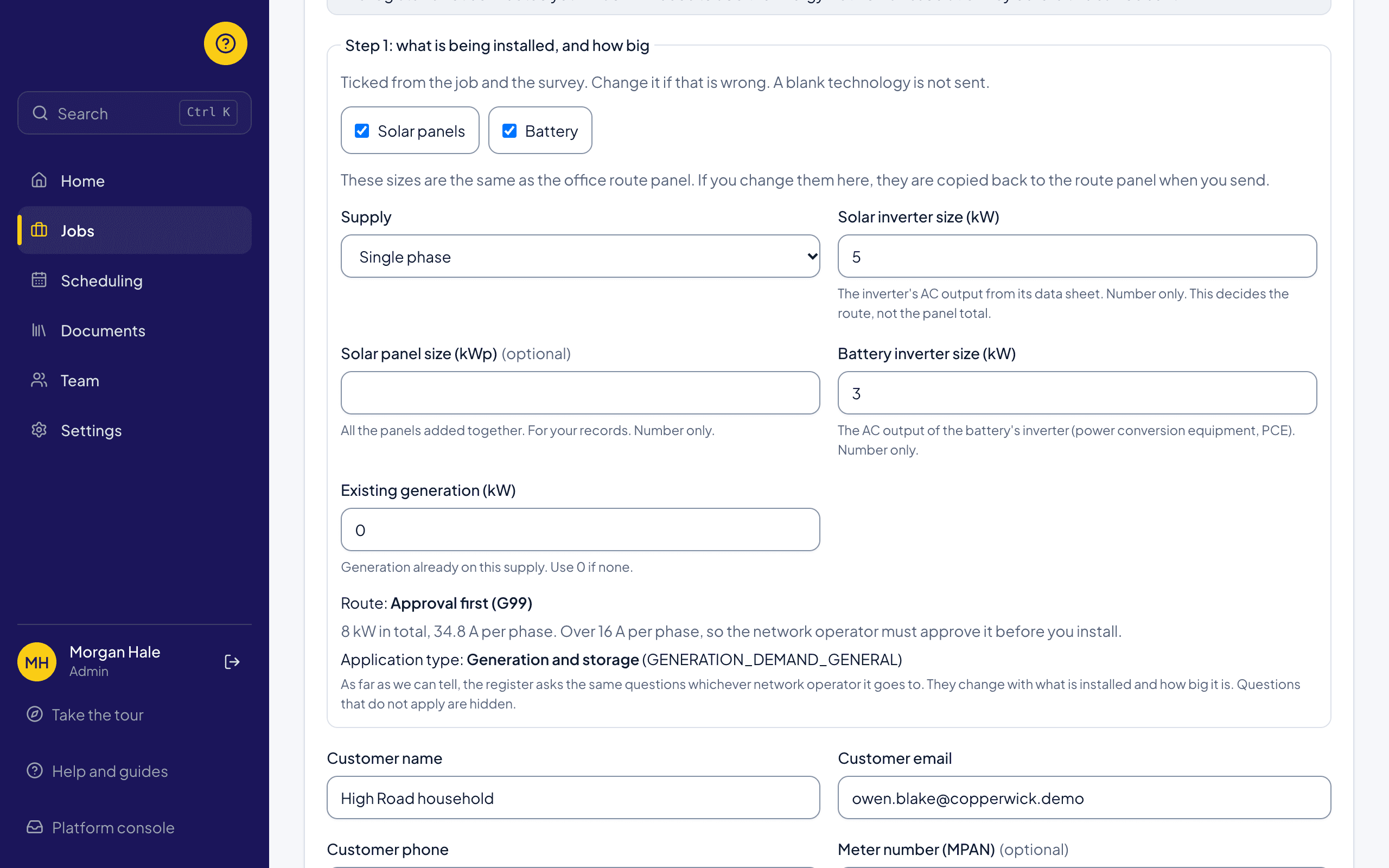
Filled from the survey and the quote
The application fills from the job's MPAN, the survey's phases, cut-out rating and photo, and the quote's panels, inverter and battery. Change on the day updates it too.
Search the register, look up the address, create and amend the application, add comments, attach the cut-out photo, check its status and send the commissioning notice.
What ends up on the job file
Kept on the job with the rest of its evidence, where your office and your assessor can find it.
- The register reference, the status, the network operator and the approval date
- A dated history of every send, change and status check
- The progress stages, with optional emails to the homeowner as it moves on
- The application data as a PDF, and a single line diagram to download
The screens on this page are a made-up demo company, Copperwick Solar, with made-up jobs and customers.
FAQ
Common questions
How does the application reach the network operator?
Through ENA Connect Direct, from the job's connection page. The network operator decides on it, and you check where it is from the same page.
What about the 28-day notice?
The 28-day clock counts from the commissioning day, for the G98 notice and the G99 commissioning confirmation. The job shows when it is due soon, overdue or done.