
Step 8 of 8: Commissioning and handover
Commissioning and handover, without the 9pm paperwork
The engineer records the test readings on the commissioning sheet. The certificates go on the file. When everything required is in, the customer's branded pack is ready.
How it runs on a job
What the installer does, step by step
Step 1: Record the test conditions
On the job's install page, the engineer notes the irradiance, the temperature and how many strings there are.
Step 2: Fill in each string
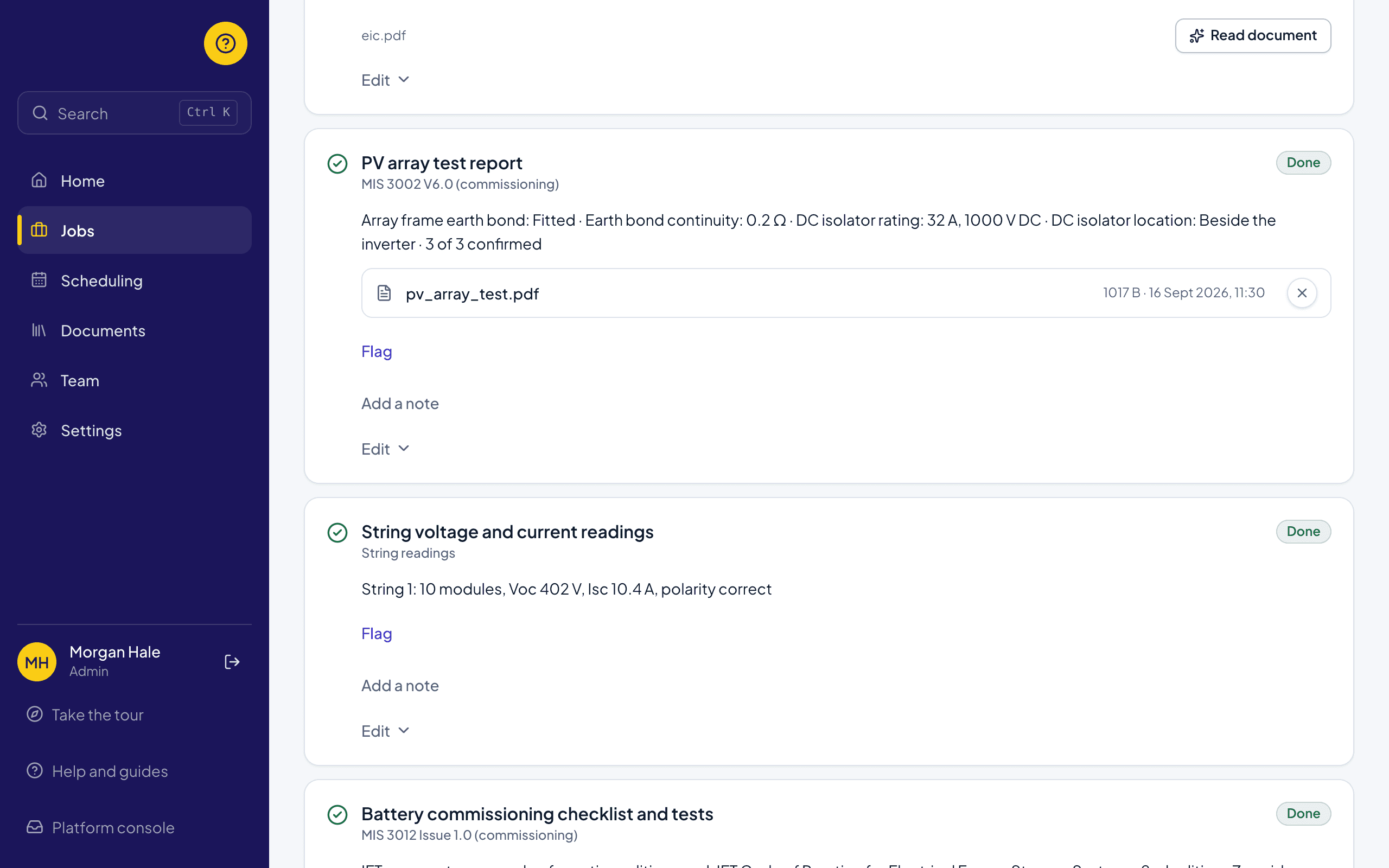
For every string: the MPPT input, the number of modules, Voc, Isc, polarity, insulation resistance from positive and negative to earth, the test voltage, and the operating volts and amps.
Step 3: Test the AC side, the inverter and the battery
Insulation resistance, continuity, Zs against the maximum Zs, fault current and the RCD type and trip times. Then the inverter's serial, grid code, export limit and trip settings, the loss of mains test, and the battery in grid and backup modes.
Step 4: Note the instrument and sign off
The test instrument's make, model, serial and calibration date, and who did the tests. A reading outside the usual range shows amber or red for your staff. It never stops a save, and you make the call.
Step 5: File the certificates
Upload the MCS certificates with their references, the electrical installation certificate with its number, and the building regulations notification.
Step 6: Hand over in two stages
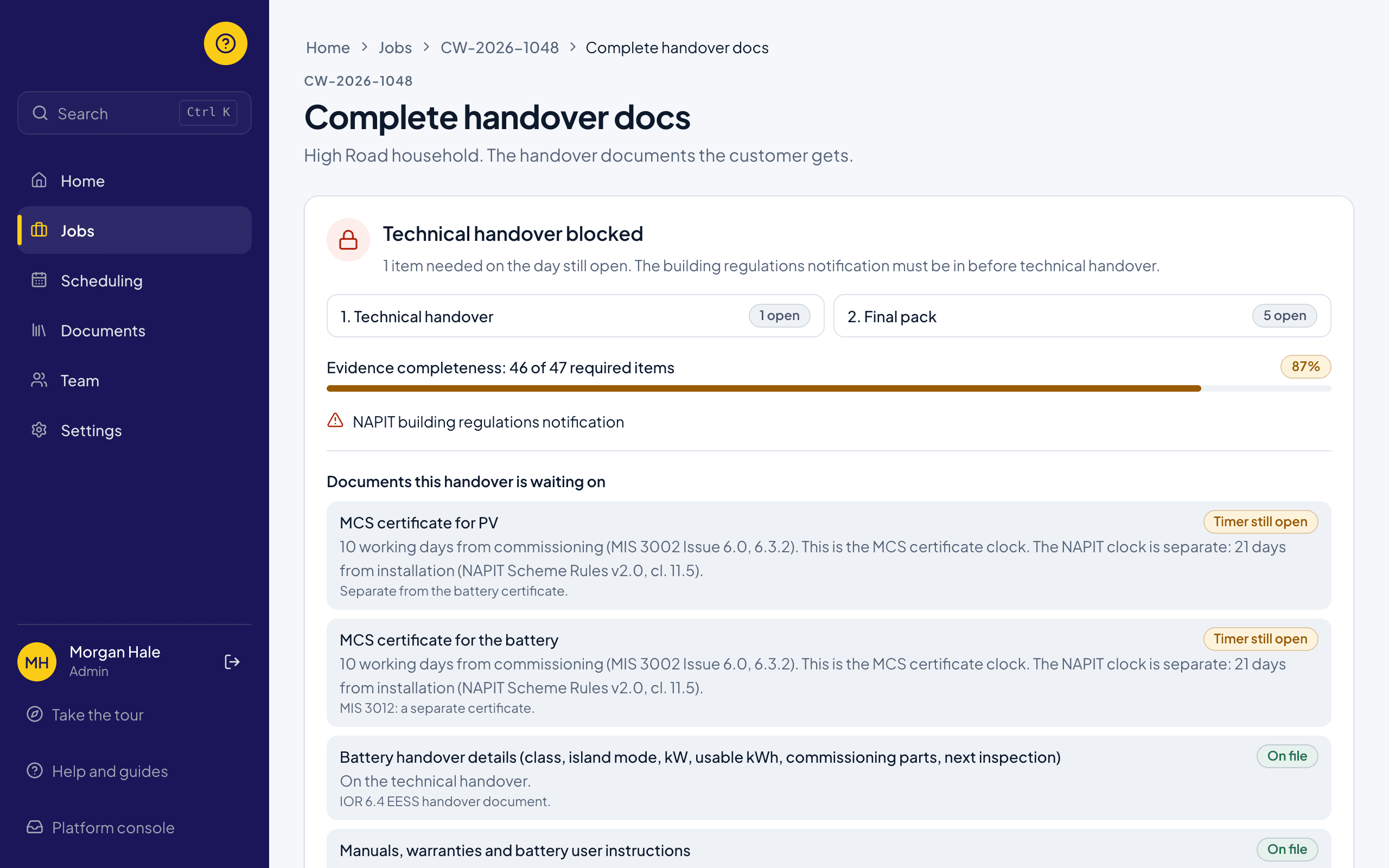
The handover page shows the evidence completeness, for example 46 of 47 required items, and lists what is still open. Technical handover unlocks first, once every required commissioning reading is in, then the final pack once the certificates and the network operator proof are in. An item can only be set aside as not applicable with a reason.
The commissioning sheet
Voc, Isc, polarity, insulation resistance, Zs, RCD trip times and the earth bond, recorded on the job, with a record PDF. Readings outside the usual range are flagged to staff, and you make the call on every one.
The install page stays locked until the construction phase plan is issued and signed, so the tests are always done under a plan. The customer's pack shows the readings, never the warnings.
Handover in two stages
Technical handover opens once the technical items are in. The final pack follows when the certificates and the network operator proof are filed.
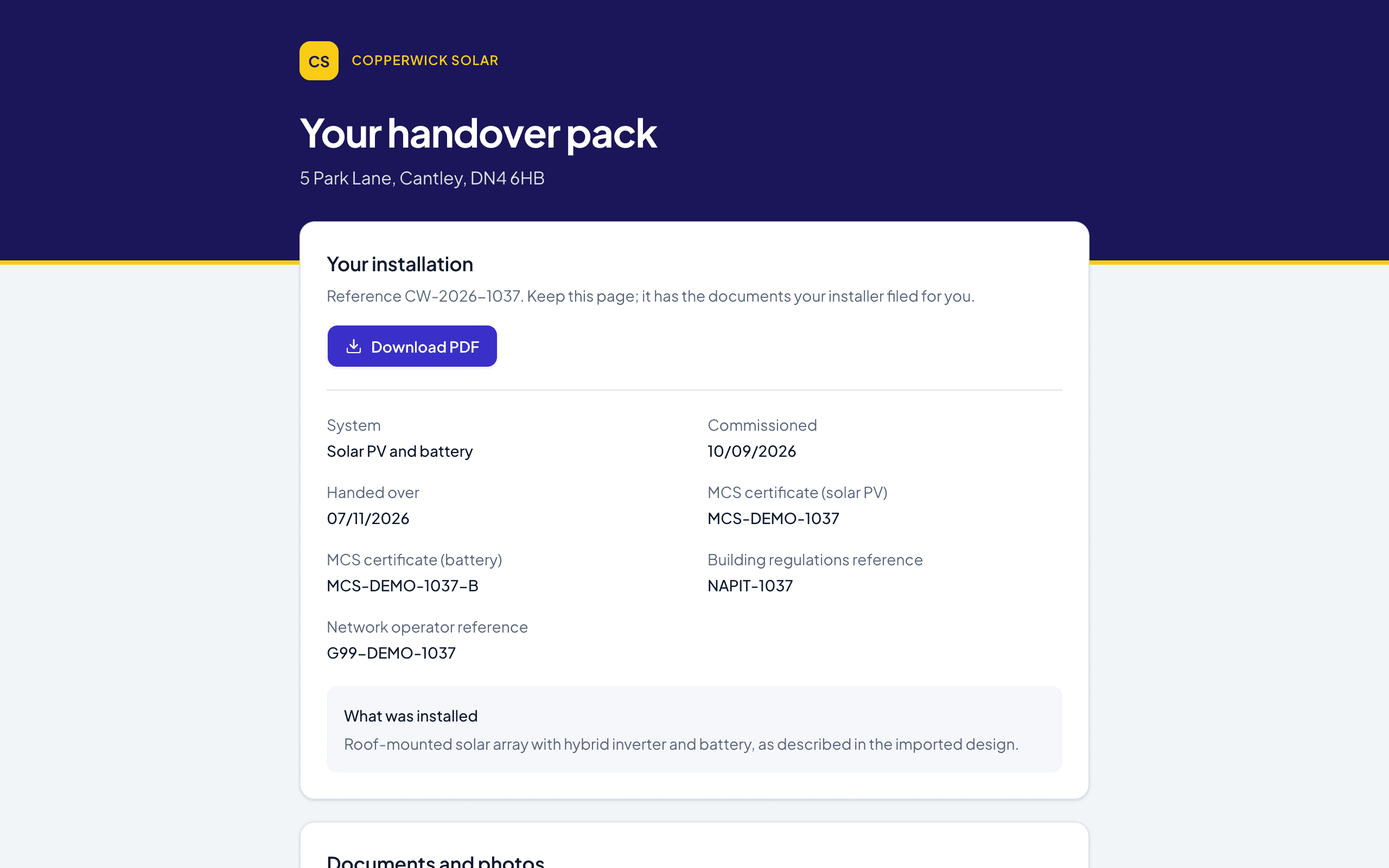
The customer gets a branded pack with a QR code and a link, and the homeowner portal for their documents and aftercare.
The pack covers their installation, the certificate and network operator references, the commissioning tests, what is on their file, looking after the system, what to do if something is wrong, and your declaration.
- An assessor zip of the evidence
- A job export zip on every plan
- Aftercare, registers and deadlines in the same place
What ends up on the job file
Kept on the job with the rest of its evidence, where your office and your assessor can find it.
- The commissioning record PDF: readings recorded, warnings seen, the test instrument and the sign-off
- The certificates, with their reference numbers
- The customer handover pack PDF, with a QR code to the customer's online copy
- The assessor zip: an index by stage with clause labels, the evidence in folders, the signed quote, the commissioning record and the construction phase plan
- A job export zip on every plan
The screens on this page are a made-up demo company, Copperwick Solar, with made-up jobs and customers.
FAQ
Common questions
What if something changes on the day?
Change on the day: the engineer edits the design, a new quote version goes to the customer, and handover waits until they agree.
Does the homeowner get the pack online?
Yes. The homeowner portal opens from an email link, with the pack, certificates and warranties.